
Disclosure: Datamagnet publishes this article. Product capabilities described below are based on public documentation, retrieved July 19, 2026. Collect and process public profile data in line with LinkedIn's terms, GDPR, and CCPA, and confirm your own compliance posture before you run any sourcing workflow.
Social-Post Engagement as a Hiring Signal for Subject-Matter Experts
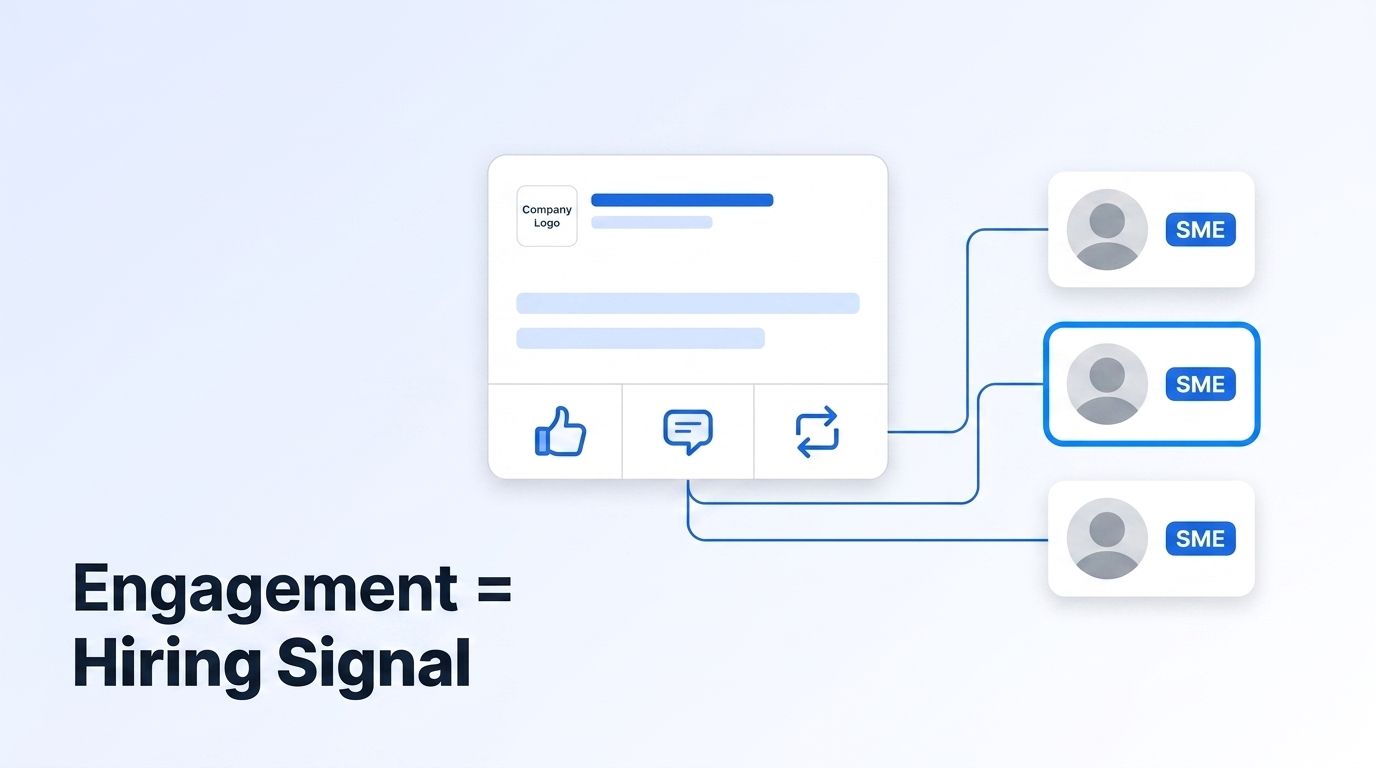
Every technical post on LinkedIn quietly builds you a candidate list. When a company ships a deep post about vector databases, RLHF, or GTM data infrastructure, the people who stop scrolling to like it, argue with it, or reshare it are self-selecting on the exact topic you're hiring for. That crowd is a hiring signal — you just have to read it.
Most sourcing ignores it. Recruiters keyword-search job titles and skills, then cold-message strangers who never showed any interest in the work. Engagement-first sourcing flips that. You start from a post about the problem, pull the people who engaged, and rank them by how well they fit the role. This guide shows how to do it with a real, working API call — and how to turn a one-off pull into an always-on watcher.
TL;DR
- The people who react and comment on a topic-specific post are a self-selected pool of subject-matter experts — LinkedIn has long estimated about 70% of the workforce is passive talent you'd never reach through job-board applies (LinkedIn Talent Solutions, retrieved 2026-07-19).
- Not all engagement is equal: Datamagnet scores a comment at 1.0 and a like at 0.7 on intent, because writing a reply takes more conviction than tapping like (Datamagnet, Webhooks, retrieved 2026-07-19).
- One Post Reactions call returns every reactor's profile for 1 credit, and a matching Post Comments call returns each commenter.
- Enrich the engagers with the People Profile endpoint, filter to your ICP, and rank the list by fit.
- Automate the whole thing with a Company Engagement signal so new experts land in Slack or your ATS as they engage.
Why is social-post engagement a hiring signal?
Engagement is a hiring signal because it's self-selected interest. LinkedIn has long estimated that about 70% of the global workforce is passive talent — people not actively job-hunting, so they never show up in your applicant pool (LinkedIn Talent Solutions, retrieved 2026-07-19). But when a passive expert comments on a post about your exact problem, they've just told you they care about it.
Think about who reacts to a genuinely technical post. Not the whole market — the sliver of people who understood it, had an opinion, and chose to say so publicly. That filter is doing free work for you. A keyword search returns everyone who once listed "machine learning" on a profile; a post's comment section returns people actively thinking about it this week.
<!-- [UNIQUE INSIGHT] -->Here's the part most teams miss: engagement is a topic signal, not a job-title signal. Titles lie — they're inflated, out of date, or vague. Someone titled "Software Engineer" who writes a sharp comment about retrieval pipelines has shown you more real expertise than a "Senior ML Engineer" title ever could. Reading engagement lets you source on demonstrated interest instead of self-reported labels, which is exactly where title-based search falls apart.
Which engagements actually point to expertise?
Not every reaction carries the same weight, and the scoring reflects it: Datamagnet scores a comment at 1.0 and a like at 0.7 on intent, because leaving a reply takes more thought than tapping a button (Datamagnet, Webhooks, retrieved 2026-07-19). A repost with commentary sits higher still — the person put their own name behind your content.
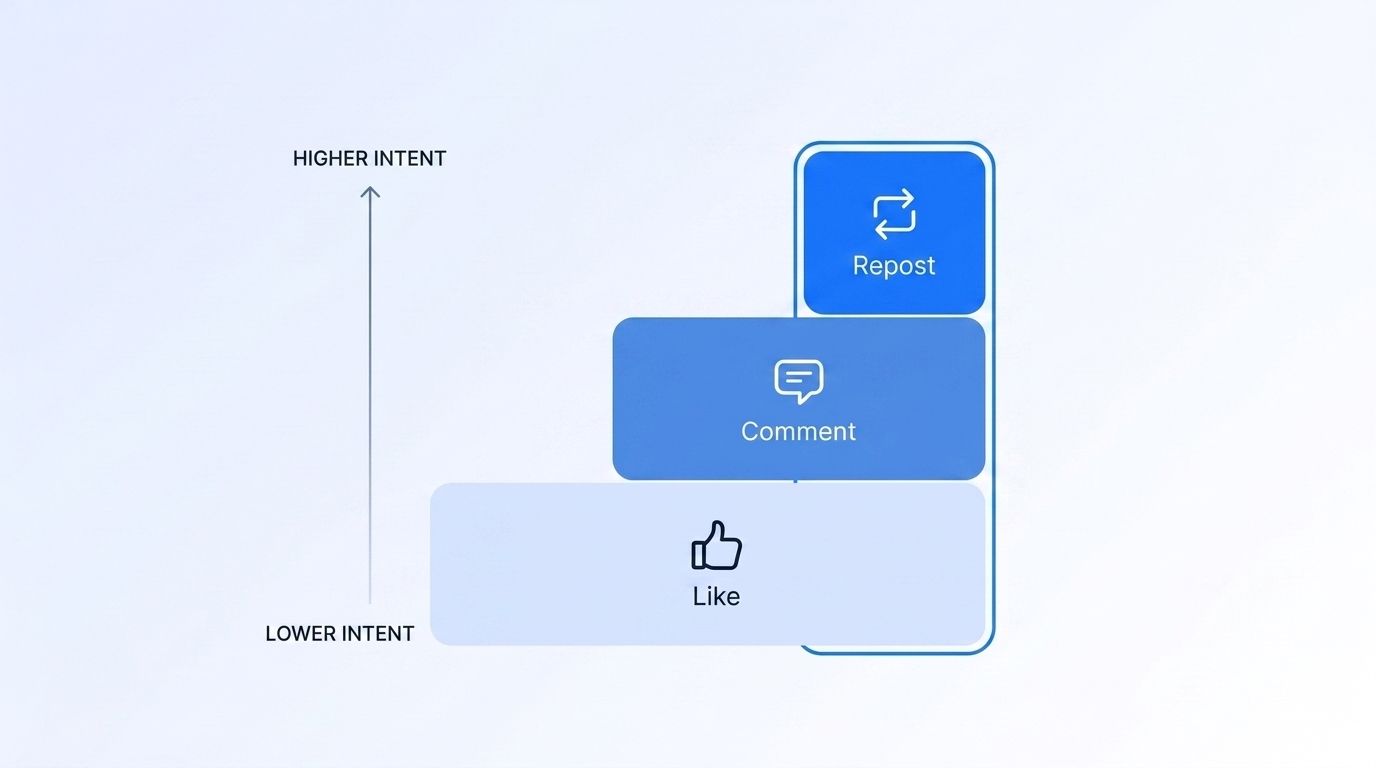
Treat engagement as a ladder. A like is a light nod — worth noting, easy to give. A comment is a real signal, especially a substantive one that adds a point or pushes back. A repost is a public endorsement: the person chose to broadcast the topic to their own network. The higher up the ladder, the stronger the read on genuine expertise and interest.
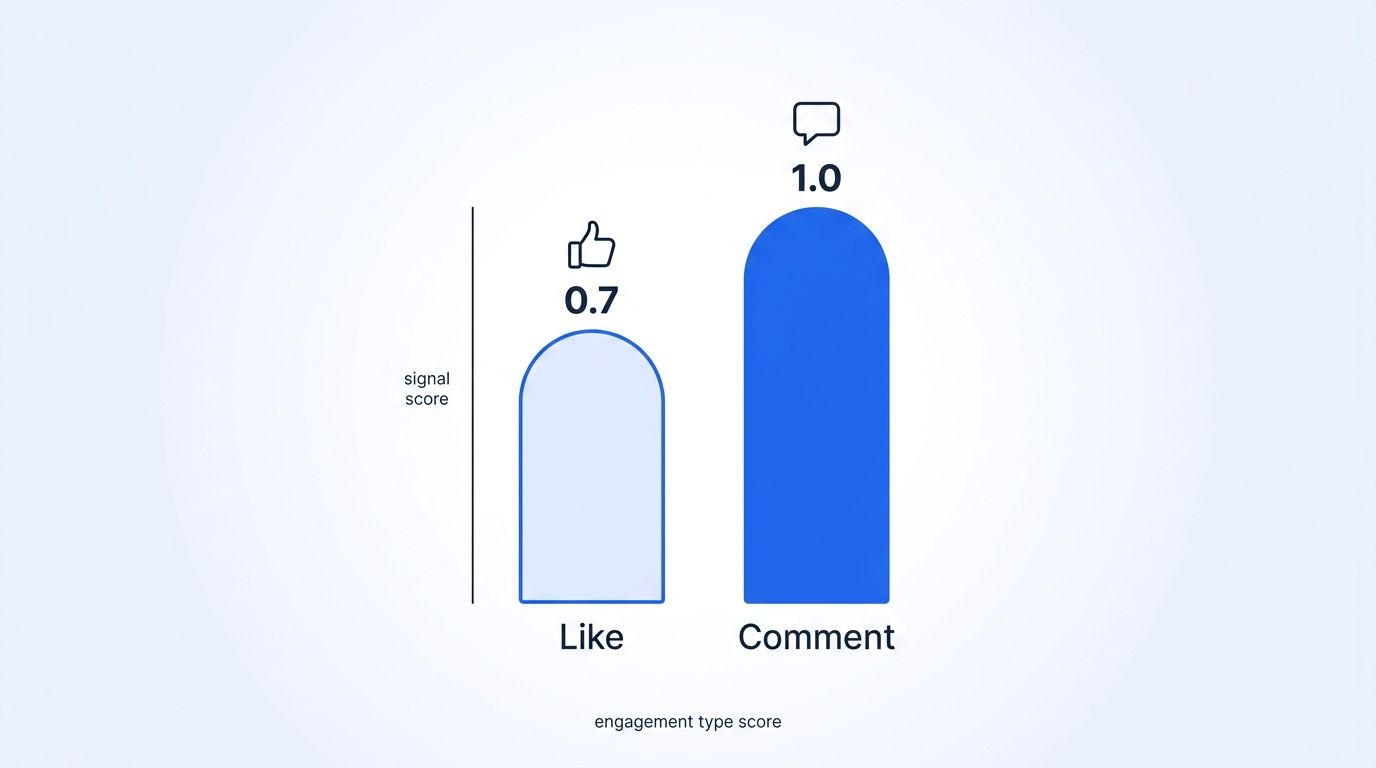
That's why you pull comments and reactions, then weight them. A commenter who explained a tradeoff belongs at the top of your list. A silent liker is a warm name for later. You can retrieve both with the LinkedIn Posts API — content, reactions, comments, and the people behind each one — and score them the same way a lead system would.
How do you pull the people who engaged with a post?
You pull them with one API call per interaction type. The Post Reactions endpoint takes a LinkedIn post URL and returns every reactor's profile for 1 credit per request, and the Post Comments endpoint does the same for commenters. No scraping, no proxies — a URL in, structured JSON out.
Here's the real, working call. First, authenticate with a bearer token (see Authentication), then POST the post URL to the reactions endpoint:
curl -X POST https://api.datamagnet.co/api/v1/linkedin/post/reactions \
  -H "Authorization: Bearer YOUR_API_KEY" \
  -H "Content-Type: application/json" \
  -d '{
    "url": "https://www.linkedin.com/posts/username_slug-activity-7430615551086850048-XXXX",
    "page": 1
  }'
The response gives you each reactor's name, headline, profile URL, and reaction type — everything you need to judge fit at a glance:
{
  "message": {
    "reactions": [
      {
        "name": "Priya Menon",
        "description": "Staff ML Engineer · Retrieval & RAG systems",
        "profile_url": "https://www.linkedin.com/in/priya-menon-example",
        "reaction_type": "PRAISE"
      },
      {
        "name": "David Osei",
        "description": "Applied Scientist, NLP",
        "profile_url": "https://www.linkedin.com/in/david-osei-example",
        "reaction_type": "LIKE"
      }
    ]
  },
  "cursor": 2,
  "credit_used": 1
}
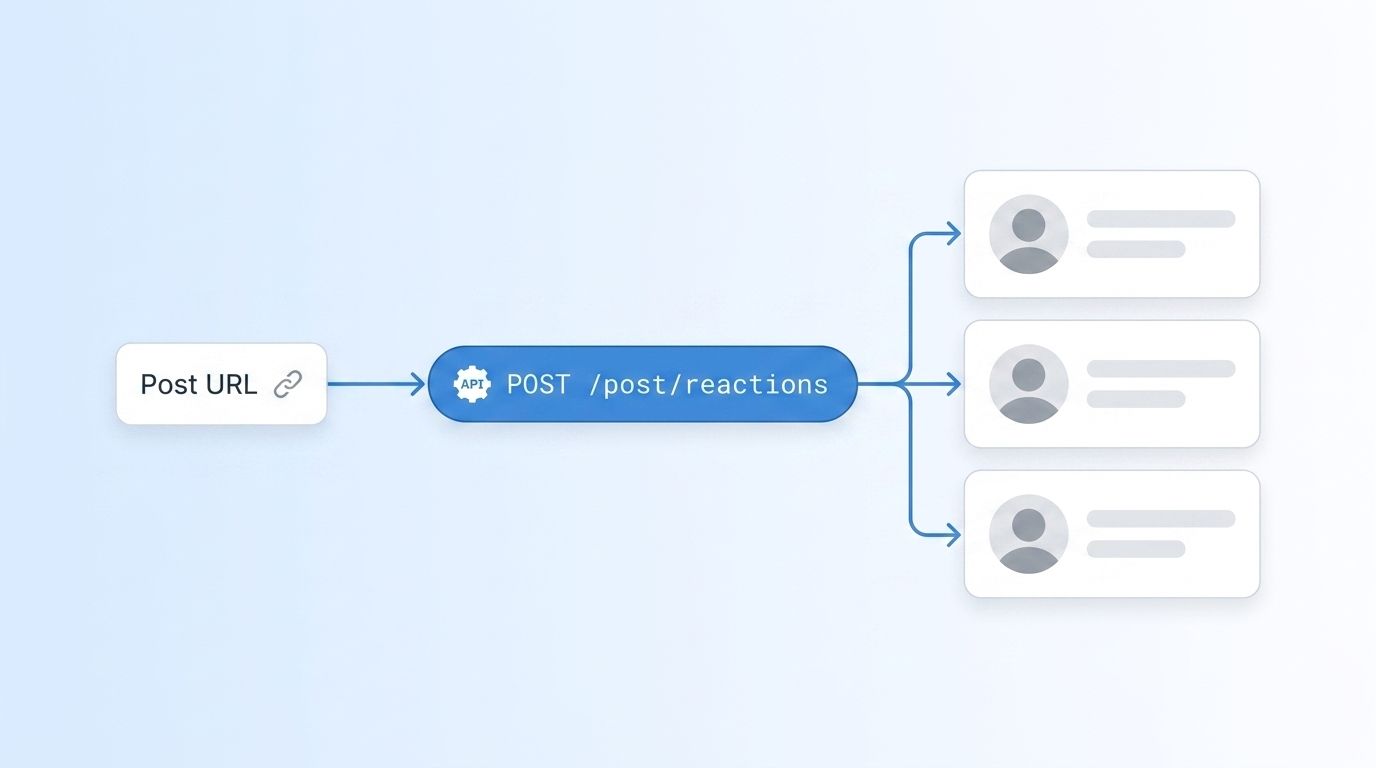
To get the full audience, paginate. Make the first call without a page, read the cursor in the response, and keep requesting until cursor comes back null — the same loop works for reactions, comments, and reposts:
import requests

url = "https://api.datamagnet.co/api/v1/linkedin/post/reactions"
headers = {"Authorization": "Bearer YOUR_API_KEY"}
page, engagers = 1, []

while page is not None:
    resp = requests.post(url, json={"url": POST_URL, "page": page}, headers=headers)
    data = resp.json()
    engagers.extend(data["message"]["reactions"])
    page = data.get("cursor")

print(f"Pulled {len(engagers)} engagers")
Not sure which post to start from? Use the Company Posts endpoint to list a target company's recent posts with engagement counts, then pull reactors from the one that's most on-topic for your role.
How do you turn engagers into a ranked SME shortlist?
You enrich the raw list, filter it to your ICP, then rank what's left. A reaction gives you a name and a headline; that's not enough to decide who to contact. Run each engager through the People Profile endpoint to pull current company, full role history, skills, and location, so "Staff ML Engineer" becomes a full picture instead of a one-line label.
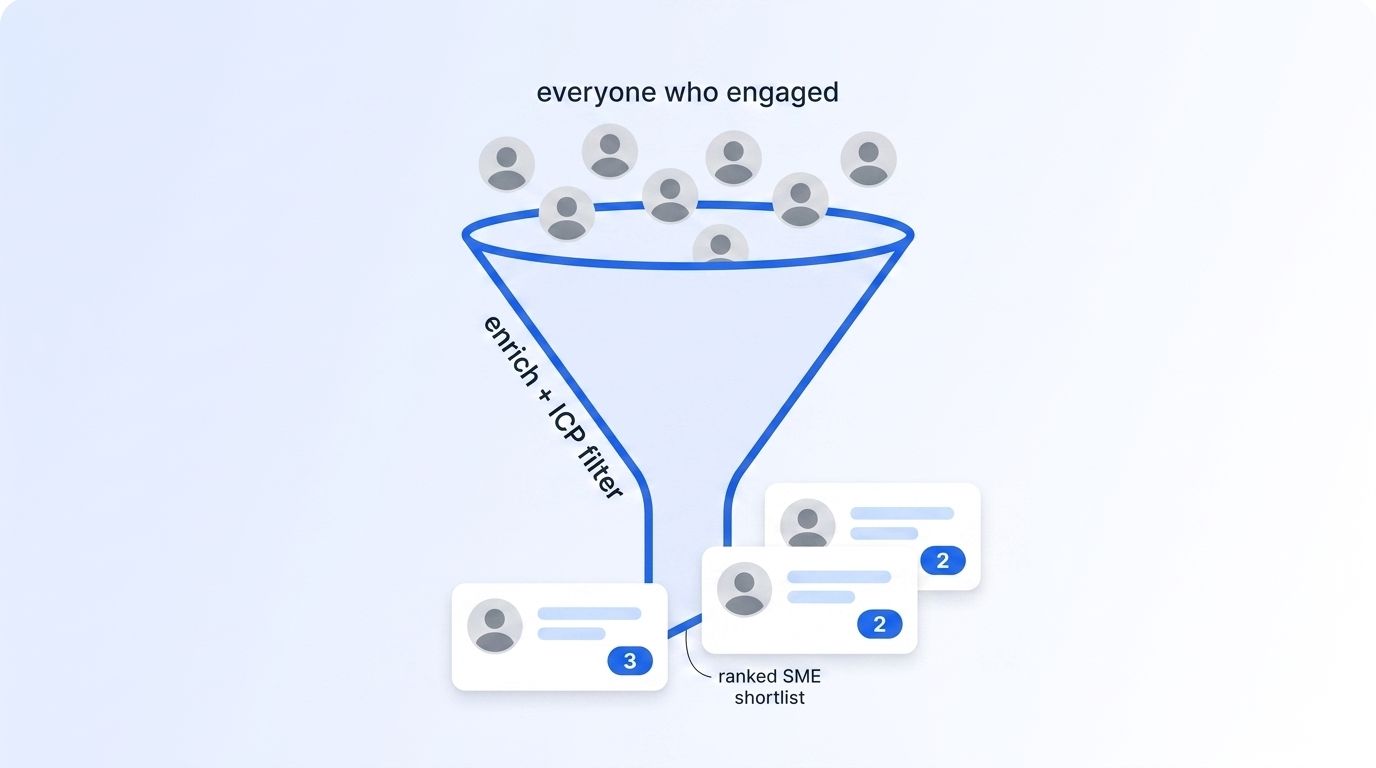
Then filter. Most engagers won't fit — wrong seniority, wrong location, wrong function, or they're already at a competitor you can't poach. Score the survivors the way an intent system does: Datamagnet's lead score runs 1 to 3, where composite = 0.5 × icp_score + 0.5 × signal_score blends how well someone fits your profile with how strongly they engaged (Datamagnet, Webhooks, retrieved 2026-07-19). A senior person who left a thoughtful comment scores a 3; a junior liker scores a 1.
The scoring math is why comments matter more than raw reach. Because signal weight splits evenly with ICP fit, a perfect-fit person who only liked the post (signal 0.7) still lands below a strong-fit person who commented (signal 1.0). In practice, that pushes the people who engaged with substance to the top of the shortlist — which is exactly the crowd worth a personal message first. You're not ranking by follower count; you're ranking by demonstrated interest plus fit.
How do you run this continuously instead of one post at a time?
You wire it to an engagement signal so the pulling never stops. A one-off reactions call is a snapshot; a Company Engagement signal is a live feed. It monitors the LinkedIn posts of companies you choose, captures everyone who likes or comments, filters them against your ICP, and scores each engager 1 to 3 automatically — no manual URL-pasting.
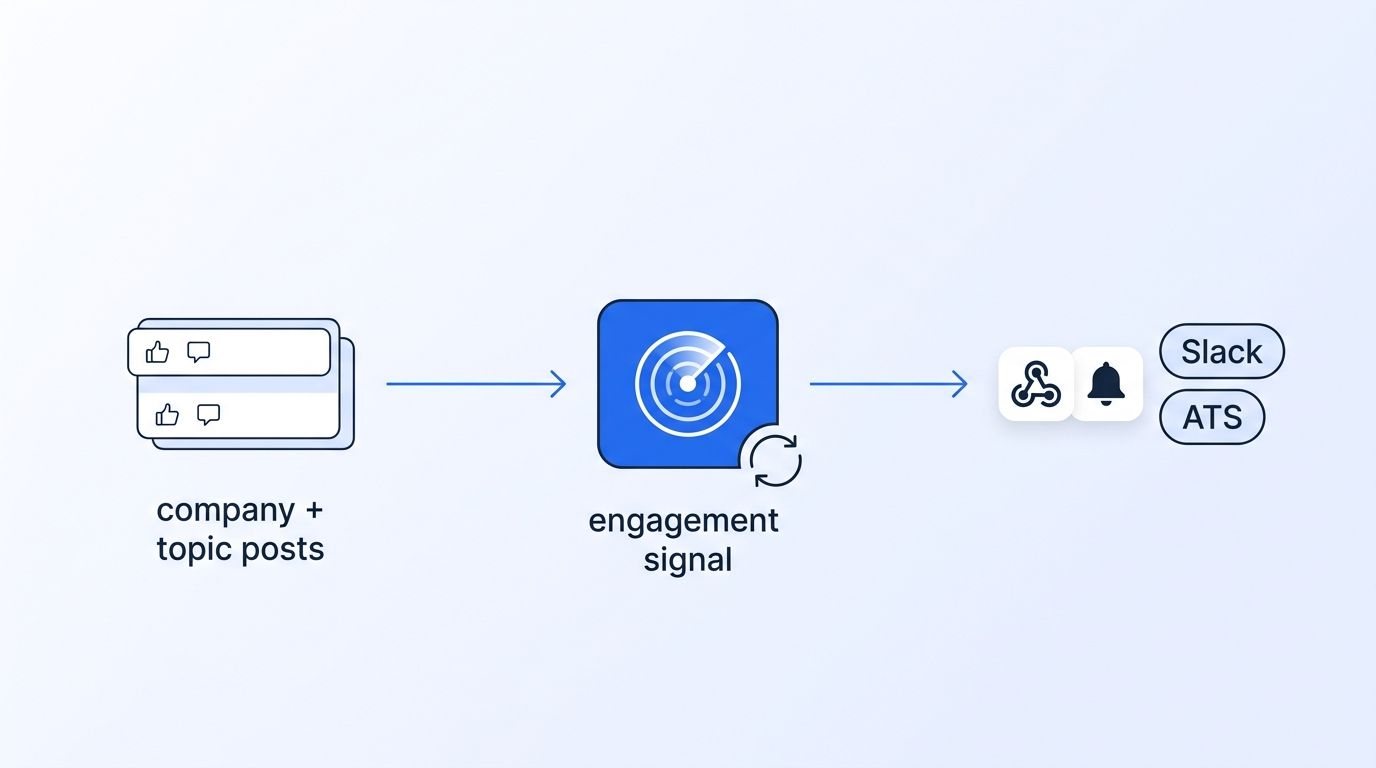
Pick the lens that matches how you hire. Watching one company's thought leadership? Use company engagement. Hiring around a topic regardless of who posts? A Keyword Engagement signal surfaces experts who engage with posts matching terms like "inference optimization." Sourcing across a whole sector? An Industry Engagement signal covers companies in your target industries. The Competitor Hijack cookbook shows the same mechanics aimed at a rival's audience.
Delivery is what makes it real-time. Register a webhook and each qualified engager is POSTed to your endpoint with name, headline, engagement type, the post they interacted with, and a lead score — signed and retried. From there it's a short hop to Slack or your ATS. Why check a post's comments by hand every week when a signal can watch a dozen posts and only ping you on the people who fit?
Is engagement-based sourcing compliant?
Engagement-based sourcing uses public activity, but public doesn't mean unlimited. Everything here reads data people chose to make visible — a public like or comment on a public post. Datamagnet collects from public sources and supports GDPR- and CCPA-aligned handling, and it standardizes only what LinkedIn already exposes.
Still, your obligations depend on your jurisdiction, your outreach channel, and how you store the data. Treat every engagement as a reason to research and personalize, not as blanket permission to mass-message. The whole point of engagement-first sourcing is relevance — a note that references the actual post someone engaged with beats a scraped-list blast on every metric that matters. See how teams operationalize this on the recruiting intelligence page.
Start sourcing from the audience you already have
Your best next hire may have commented on your last technical post. Stop cold-searching titles and start reading engagement: pull the reactors and commenters on the posts about your problem, enrich and rank them by fit, then set a signal so new experts arrive automatically. It's demonstrated interest instead of guesswork. Start an engagement signal and see who's already raising their hand.
Frequently Asked Questions
Why is post engagement a good hiring signal?
Because it's self-selected topic interest. When someone comments on a post about a specific technical problem, they've shown they understand and care about it — unlike a keyword search that returns anyone who once listed the skill. With about 70% of the workforce passive (LinkedIn Talent Solutions, retrieved 2026-07-19), engagement reaches experts who never apply.
How do I get the list of people who reacted to a LinkedIn post?
Send the post URL to the Post Reactions endpoint, which returns every reactor's profile for 1 credit per request, and the Post Comments endpoint for commenters. Paginate using the cursor field until it returns null to capture the full audience of a high-engagement post.
Are comments a stronger hiring signal than likes?
Yes. Datamagnet scores a comment at 1.0 and a like at 0.7 on intent, because writing a reply takes more conviction than tapping a button (Datamagnet, Webhooks, retrieved 2026-07-19). A repost with commentary is stronger still. Weight commenters higher when you build your shortlist, and treat silent likers as warm names for later.
How do I rank engagers by how well they fit a role?
Enrich each engager with the People Profile endpoint, then filter by seniority, function, and location. Datamagnet's lead score blends fit and intent as composite = 0.5 × icp_score + 0.5 × signal_score, producing a 1-to-3 rank so strong-fit commenters rise to the top of your outreach list.
Can I monitor engagement automatically instead of pulling one post at a time?
Yes. A Company Engagement signal continuously watches a company's posts, captures every engager, scores them against your ICP, and delivers qualified experts via webhook. Keyword and industry engagement signals do the same around a topic or sector instead of a single company.
Sources
- LinkedIn Talent Solutions, Passive Talent Research, retrieved 2026-07-19, https://business.linkedin.com/talent-solutions
- U.S. Bureau of Labor Statistics, Employee Tenure Summary (January 2024 release), retrieved 2026-07-19, https://www.bls.gov/news.release/tenure.nr0.htm
- Datamagnet, Post Reactions endpoint, retrieved 2026-07-19, https://docs.datamagnet.co/api-reference/endpoints/post-reactions
- Datamagnet, Post Comments endpoint, retrieved 2026-07-19, https://docs.datamagnet.co/api-reference/endpoints/post-comments
- Datamagnet, Webhooks (lead scoring), retrieved 2026-07-19, https://docs.datamagnet.co/api-reference/webhooks
- Datamagnet, Company Engagement Signal, retrieved 2026-07-19, https://docs.datamagnet.co/api-reference/endpoints/signal-company-engagement
