
Disclosure: This article is published by Datamagnet. Vendor claims are self-reported unless otherwise noted.
RevOps Tech Stack Audit: How to Cut Redundant Tools Without Losing Coverage
In 2026, enterprise RevOps teams run 16 or more tools on average, and 20% run more than 20 (RevOps Co-op, The 2025 State of RevOps Survey, 2025). If your budget review keeps turning up tools nobody remembers approving, you're not alone — and the fix isn't cutting blind. This guide walks through a 6-step audit that separates the tools doing real work from the ones just collecting a monthly invoice, without leaving a coverage gap a rep discovers the hard way.
We ran this exact audit against our own GTM stack last quarter and found three enrichment tools quietly pulling the same LinkedIn company data through different vendors — each billed monthly, each unaware the other existed.
TL;DR
- Enterprise RevOps stacks average 16+ tools, and a third of RevOps tech spend qualifies as shelfware (RevOps Co-op, 2025).
- 53% of all SaaS licenses go unused or underutilized, costing the average enterprise $19.8 million a year (Zylo, 2026 SaaS Management Index, 2026).
- Passive attrition doesn't work — SaaS consolidation pace actually slowed from 14% year-over-year in 2023 to just 5% in 2025 (BetterCloud, State of SaaS 2025 Report, 2025).
- Audit by function overlap and actual usage data first, then cut — organizations without centralized visibility overspend by at least 25% on redundant tools (Gartner, 2026 Magic Quadrant for SaaS Management Platforms, 2026).
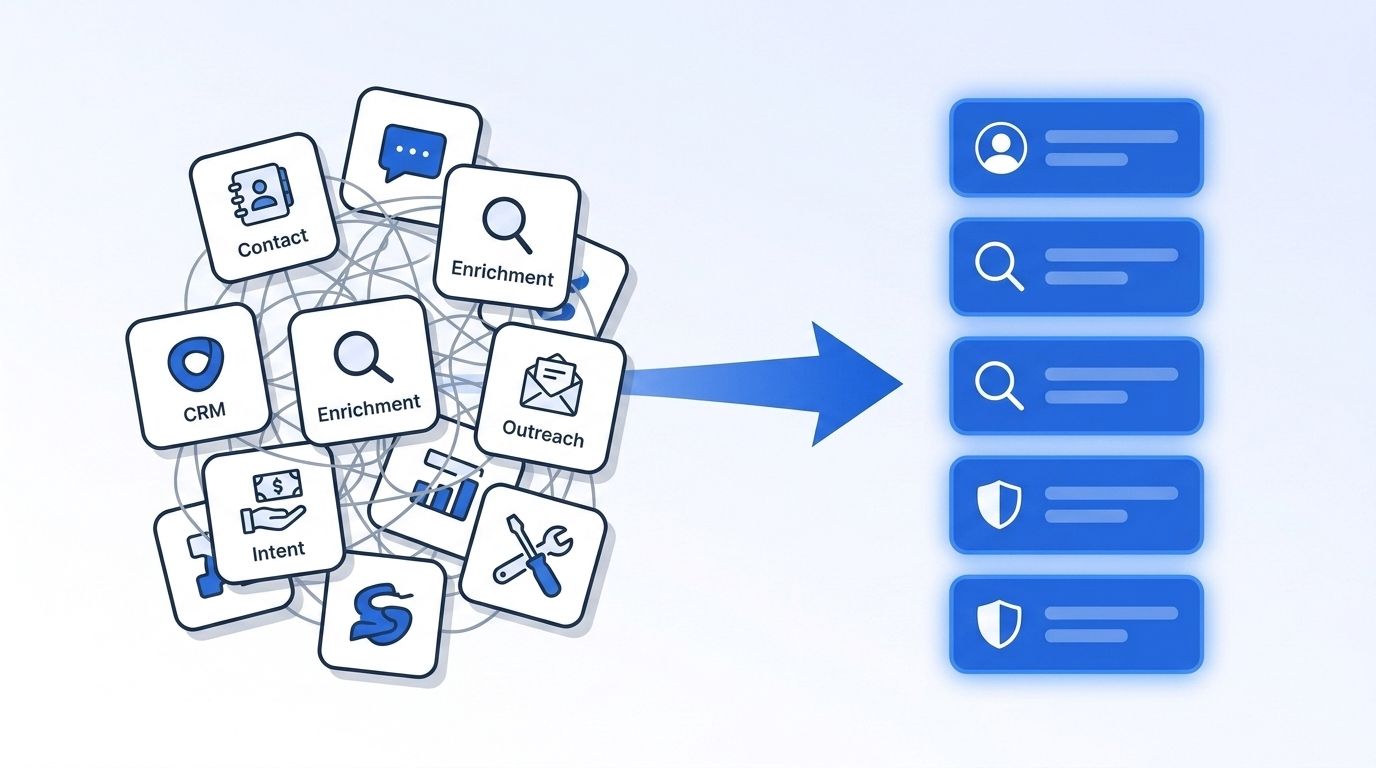

What Do You Need Before You Start a RevOps Tech Stack Audit?
You need three things before you touch a single contract: a full tool list, real usage data, and someone with the authority to actually cancel a subscription. Skip any one of these and the audit stalls halfway through, since RevOps controls its own tech budget in only 40% of organizations (RevOps Co-op, The 2025 State of RevOps Survey, 2025) — without a clear owner, nothing actually gets canceled.
What you'll need:
- A finance or procurement export of every recurring software charge tied to sales, marketing, or ops
- Admin access (or a friendly admin) for your CRM, enrichment, and outreach platforms to pull login and API usage logs
- A single owner for the audit — in 60% of organizations, RevOps doesn't control its own tech budget, which is exactly why audits stall without a named owner (RevOps Co-op, The 2025 State of RevOps Survey, 2025)
- Time: 2-3 weeks for a mid-size stack (15-25 tools)
- Difficulty: Intermediate — mostly data-gathering, not technical work
Step 1: What Tools Are Touching Your Revenue Funnel?
By the end of this step, you'll have a single spreadsheet listing every tool with a login, a monthly cost, and an owner. Most teams underestimate their own stack size because tools get added by individual reps or marketers without a central request process, and nobody ever built a master list to catch them.
- Pull every SaaS line item from your finance or expense platform for the last 12 months
- Cross-reference against your SSO or identity provider's connected-apps list to catch tools paid for on a personal card
- Ask each department head to name the tools their team uses weekly, then compare that list against what finance actually shows
- Log each tool's function (CRM, enrichment, intent data, outreach, scheduling, reporting), owner, and annual cost in one shared sheet
In 2025, the average organization ran 106 SaaS applications (BetterCloud, State of SaaS 2025 Report, 2025), down slightly from 112 in 2023 — a sign that most teams still have room to trim without falling below a functional baseline. Your finished inventory is the input every later step depends on, so don't skip the SSO cross-reference; that's where the shadow-IT tools hide. If any of the tools on your list touch LinkedIn people or company data, check Datamagnet's API documentation to see what a single consolidated data source can cover.
Step 2: Where Do Your Tools Overlap by Function?
By the end of this step, you'll have grouped every tool by the job it actually does, not the category the vendor markets it under. Overlap hides behind different feature names — "intent signals," "buying signals," and "engagement alerts" often describe the same underlying capability sold by three different vendors.
- Group every tool from Step 1 into function buckets: CRM, enrichment/data, intent/signals, outreach/sequencing, scheduling, reporting/BI
- Within each bucket, list the specific capability each tool provides — not its marketing tagline
- Flag any bucket with more than two tools as a likely overlap candidate
- Note contract end dates for overlapping tools so you're not locked in when it's time to cut
Data enrichment is a common overlap zone: 53% of Apollo.io subscribers also pay for a second data-enrichment vendor (Ramp, Trends in Data Enrichment Vendors, Q1 2025, 2025), often without realizing both are pulling the same underlying LinkedIn or firmographic data. [UNIQUE INSIGHT] The overlap usually isn't intentional redundancy — it's two teams solving the same problem in parallel because neither knew the other's tool already covered it. If enrichment is one of your overlap buckets, compare vendors on how they source data rather than the feature list; see how Datamagnet's People Profile endpoint fetches LinkedIn data live at request time instead of from a static database.
If your overlap map turns up two or more enrichment vendors covering the same LinkedIn fields, see how Datamagnet compares to Apollo.io before deciding which one to keep.
Step 3: Score Actual Usage, Not Contract Value
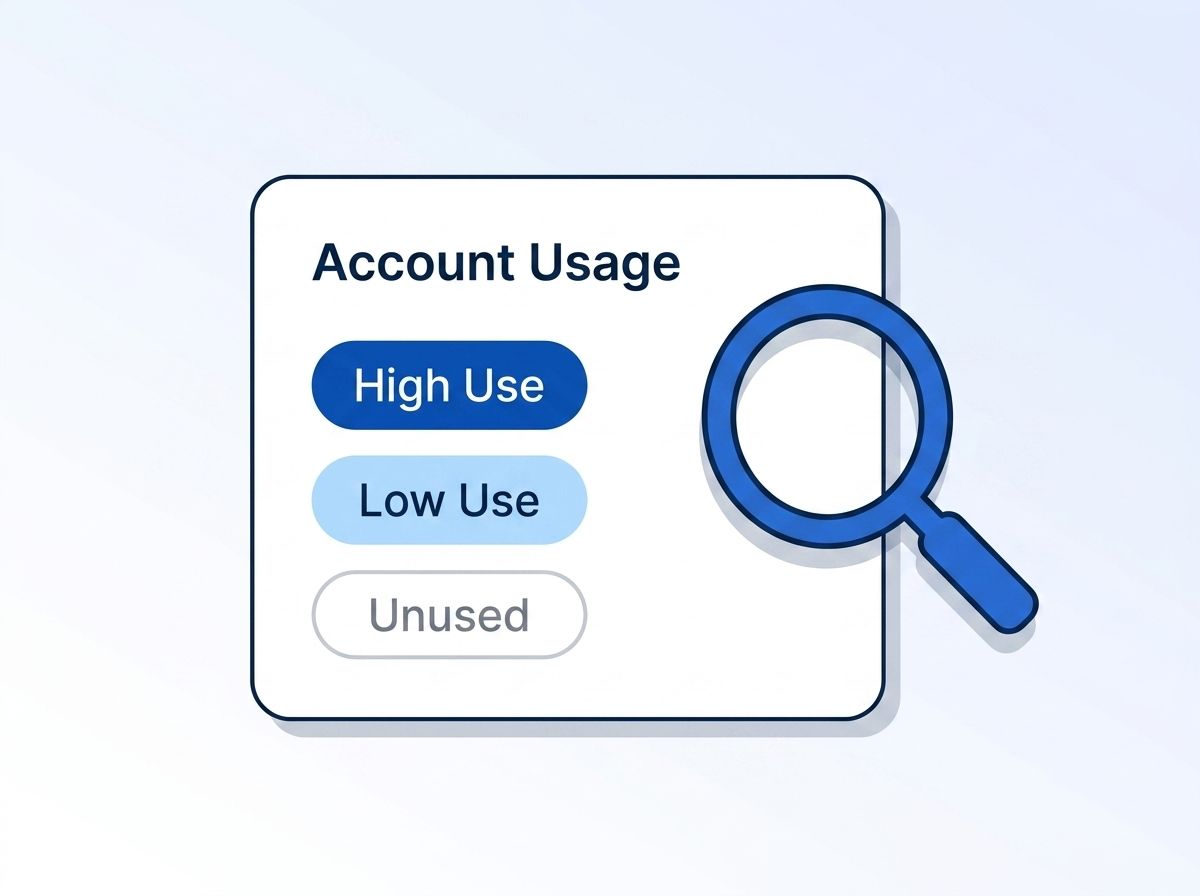
By the end of this step, every tool on your list has a usage score, not just a price tag. A tool costing $500 a month that nobody logs into is a worse deal than one costing $2,000 a month that runs 40 API calls an hour.
- Pull login frequency or API call volume for each tool over the last 90 days
- Score each tool low/medium/high usage based on weekly active users versus total licenses purchased
- Interview two or three frontline reps about which tools they'd keep if forced to pick five
- Cross-check the usage score against the overlap map from Step 2 — a low-usage tool inside a crowded function bucket is your first cut candidate
53% of all SaaS licenses go unused or underutilized, and the average enterprise wastes $19.8 million a year on shelfware as a result (Zylo, 2026 SaaS Management Index, 2026). That's up from $21 million in Zylo's 2025 index on a smaller total spend base, which tells you waste is growing even as raw dollars fluctuate. RevOps stacks specifically aren't exempt — 33% of RevOps tech spend qualifies as shelfware by the same measure (RevOps Co-op, The 2025 State of RevOps Survey, 2025).
Step 4: What's the True Cost of Each Tool?
By the end of this step, you'll know each tool's real cost, including the parts that never show up on the invoice. Contract price is the smallest piece of what a redundant tool actually costs you once you factor in the hours your team spends switching between overlapping systems and cleaning up the data mess they leave behind.
- Add license fees, implementation cost, and any per-seat overage charges to get direct cost
- Add the time cost of context-switching — workers lose an average of 51 minutes a week to tool fatigue, roughly 44 hours a year, and 17% switch between tools more than 100 times a day (Fast Company, reporting Lokalise/Cornell research, 2025)
- Add the data-quality tax: 37% of CRM users report losing revenue directly tied to poor data quality, and 76% say less than half their CRM data is accurate and complete (Validity, The State of CRM Data Management in 2025, 2025)
- Rank every tool by total cost, not sticker price, and re-sort your Step 3 usage scores against this ranking
When we ran this math internally, the three overlapping enrichment tools mentioned earlier cost $340 a month combined on paper — but the rework hours spent reconciling three slightly different versions of the same company record pushed the real cost closer to $1,200 a month.
Gartner's long-standing benchmark still holds up as a target: disciplined software asset management can cut costs by roughly 30% in year one and 5-10% annually after that (Gartner press release, Gartner Says Organizations Can Cut Software Costs by 30 Percent Using Three Best Practices, 2016). It's an older figure, but the mechanism — centralized visibility plus usage-based renewal decisions — hasn't changed. For API-metered tools specifically, checking your API credit balance regularly is a cheap way to catch a plan you've outgrown or a seat you're barely using before renewal.
Step 5: How Do You Protect Coverage Before You Cut Anything?
By the end of this step, you'll have a coverage map showing exactly what breaks if a given tool disappears — before you cancel it, not after. This is the step teams skip when they're in a hurry to hit a savings number, and it's the one that causes the most expensive mistakes.
- For every tool flagged as a cut candidate in Steps 3-4, list every workflow, integration, or downstream report that depends on it
- Identify which cuts are safe to make immediately versus which need a replacement lined up first
- Test the replacement or consolidated tool against a real workflow before the old tool's contract lapses, not after
- Document the coverage map so the next audit doesn't have to rebuild this context from scratch
Rushing this step is why 62.1% of marketing teams now run more martech tools than they did two years ago despite widespread stated intent to consolidate (MarketingOps.com and Chiefmartec, 2025 State of Your Stack Survey, 2025) — every failed cut becomes a reason to re-add a tool later, and stacks grow instead of shrink. If a tool you're cutting handled company or people data enrichment, confirm the replacement covers the same fields before the old contract ends; a live LinkedIn data API that fetches company and people records at request time is one way to consolidate multiple static-database enrichment tools into a single source without losing field coverage. If the tool you're replacing is a seat-based contact database, a pay-as-you-go alternative to ZoomInfo is worth comparing before you renew.
Step 6: Consolidate, Renegotiate, or Cut
By the end of this step, every tool on your list has a final decision attached: keep, renegotiate, consolidate into another tool, or cut outright. This is where the audit turns into savings, and where a clear usage score from Step 3 does most of the deciding for you instead of a gut call.
- For low-usage tools with no coverage dependency, cancel outright at the next renewal window
- For overlapping tools serving the same function, pick the one with better usage data and migrate remaining workflows before canceling the other
- For high-usage but overpriced tools, use your usage data as leverage in a renewal negotiation
- For tools with a hard coverage dependency and no ready replacement, keep them but flag for re-review at the next audit cycle
Sellers already juggle an average of 8 different tools just to close one deal, and 42% say they feel overwhelmed by tool sprawl — overwhelmed reps are 45% less likely to hit quota (Salesforce, State of Sales, 2026). Every consolidation you make in this step isn't just a cost saving; it's one less context switch standing between a rep and a closed deal. Once you've settled on a smaller set of tools, wiring them together in n8n keeps data flowing between the survivors instead of leaving reps to copy-paste between tabs.
What Mistakes Sink Most RevOps Tech Stack Audits?
Most audits fail not because teams can't find redundant tools, but because they cut without checking who depends on them first. Here are the mistakes that turn a promising audit into a rollback — and cost RevOps the credibility it needs to run the next one without pushback from finance or sales leadership.
1. Cutting on contract price alone. Teams rank tools by sticker price and cancel the cheapest-looking overlap, without checking which one actually holds the workflows people rely on. Always cross-reference the coverage map from Step 5 before canceling anything.
2. Treating the audit as a one-time project. SaaS consolidation efforts routinely stall after the first pass — the industry-wide consolidation rate dropped from 14% year-over-year in 2023 to just 5% in 2025 (BetterCloud, State of SaaS 2025 Report, 2025). Schedule the next audit on the calendar before you close this one out.
3. Skipping the shadow-IT check. Tools bought on a personal card or through a free-tier signup rarely show up in a finance export, and they're often duplicating something already covered elsewhere.
4. No single owner. In 60% of organizations, RevOps doesn't control its own tech budget (RevOps Co-op, The 2025 State of RevOps Survey, 2025), so an audit without a named decision-maker just produces a report nobody acts on.
What Does a Successful Tech Stack Audit Look Like?
If the audit worked, your tool count is smaller, your remaining tools have documented owners, and nobody's lost a workflow they relied on. You should be able to point to a specific dollar figure saved and a specific list of what got consolidated into what.
Expect a first-pass audit to cut 10-20% of your total tool count in the redundant-and-unused category, based on the shelfware rates covered above, without touching anything flagged as coverage-critical in Step 5. The stretch goal: build the audit into a recurring quarterly review instead of a one-off project, since stack sprawl creeps back in the same way it built up the first time — one tool at a time, added without a central request process. Consolidating enrichment specifically has a compounding payoff, since programmatic CRM enrichment removes a chunk of the manual data work that justified extra tools in the first place.
Frequently Asked Questions
These are the questions RevOps and sales-ops leaders ask most often before starting a tech stack audit — how frequently to run one, who should own it, and how much a disciplined first pass typically saves once the redundant tools are gone. Quick answers are below; the full audit steps are covered above.
How often should we run a RevOps tech stack audit?
Quarterly, not annually. Tool sprawl rebuilds fast — 62.1% of marketing teams already run more tools than they did two years ago (MarketingOps.com and Chiefmartec, 2025 State of Your Stack Survey, 2025), and an annual cadence lets a full year of shadow-IT purchases accumulate before anyone checks.
What's the fastest way to find redundant enrichment or data tools?
Group every data tool by the specific field it provides — job title, company headcount, funding data — rather than by vendor category. Overlap hides in shared fields: 53% of Apollo.io subscribers already pay for a second enrichment vendor covering the same data (Ramp, Trends in Data Enrichment Vendors, Q1 2025, 2025).
Can we consolidate tools without losing CRM coverage?
Yes, if you build the coverage map in Step 5 before canceling anything. Test the replacement tool against a real workflow first. Skipping that step is the single biggest reason consolidation projects get reversed within a quarter.
How much can a tech stack audit actually save?
Directionally, expect double-digit percentage savings on your redundant-and-unused spend. The average enterprise wastes $19.8 million a year on unused SaaS licenses (Zylo, 2026 SaaS Management Index, 2026), and Gartner's benchmark for disciplined software asset management is roughly 30% in year one (Gartner, 2016, 2016).
Who should own the RevOps tech stack audit?
A single named RevOps or sales-ops leader with budget visibility, not a committee. In 60% of organizations, RevOps doesn't control its own tech budget (RevOps Co-op, The 2025 State of RevOps Survey, 2025) — without a clear owner, the audit produces a spreadsheet, not a decision.
Cut the Tools, Keep the Coverage
A RevOps tech stack audit isn't about running lean for its own sake — it's about making sure every dollar and every rep login is going toward a tool that's actually doing the job. Inventory first, map overlap second, protect coverage before you cancel anything, and you'll cut real shelfware without breaking a workflow someone depends on. See how Datamagnet consolidates people and company enrichment into a single live API and check it against your current enrichment stack this week. For a closer look at how enrichment platforms stack up against each other, compare real-time B2B people enrichment APIs before your next renewal decision.
Sources
- RevOps Co-op, The 2025 State of RevOps Survey, retrieved 2026-07-21, https://www.revopscoop.com/reports/the-2025-state-of-revops-survey
- Zylo, 2026 SaaS Management Index, retrieved 2026-07-21, https://zylo.com/blog/shelfware
- Zylo, 2025 SaaS Management Index, retrieved 2026-07-21, https://zylo.com/news/2025-saas-management-index
- BetterCloud, State of SaaS 2025 Report, retrieved 2026-07-21, https://www.prnewswire.com/news-releases/state-of-saas-2025-report-reveals-operational-complexity-and-risk-concerns-as-economic-uncertainty-and-ai-apply-spending-pressure-on-technology-investments-302441868.html
- Gartner, 2026 Magic Quadrant for SaaS Management Platforms, retrieved 2026-07-21, https://www.gartner.com/en/documents/6790734
- Gartner, Gartner Says Organizations Can Cut Software Costs by 30 Percent Using Three Best Practices, retrieved 2026-07-21, https://www.gartner.com/en/newsroom/press-releases/2016-07-19-gartner-says-organizations-can-cut-software-costs-by-30-percent-using-three-best-practices
- Ramp, Trends in Data Enrichment Vendors, Q1 2025, retrieved 2026-07-21, https://ramp.com/data/trends-in-data-enrichment-vendors-q1-2025
- Validity, The State of CRM Data Management in 2025, retrieved 2026-07-21, https://www.validity.com/resource-center/the-state-of-crm-data-management-in-2025/
- Fast Company, reporting Lokalise/Cornell research on tool fatigue, retrieved 2026-07-21, https://www.fastcompany.com/91416707/employees-lose-nearly-an-hour-a-week-to-online-tool-fatigue
- MarketingOps.com and Chiefmartec, 2025 State of Your Stack Survey, retrieved 2026-07-21, https://martech.org/state-of-the-stack-2025-homegrown-martech-surges-as-ai-accelerates-development/
- Salesforce, State of Sales, retrieved 2026-07-21, https://www.salesforce.com/sales/state-of-sales/sales-statistics/
- Datamagnet, People Profile endpoint, retrieved 2026-07-21, https://docs.datamagnet.co/api-reference/endpoints/people
- Datamagnet, Company Profile endpoint, retrieved 2026-07-21, https://docs.datamagnet.co/api-reference/endpoints/company
- Datamagnet, API Documentation Introduction, retrieved 2026-07-21, https://docs.datamagnet.co/api-reference/introduction
- Datamagnet, Credit Balance endpoint, retrieved 2026-07-21, https://docs.datamagnet.co/api-reference/endpoints/credits
