
Disclosure: This article is published by Datamagnet. Vendor claims are self-reported unless otherwise noted.
People Enrichment API: A Practical Guide for B2B Teams
A people enrichment API fills in or checks a contact record. It should give your next sales step the few facts it needs, not every fact it can find.
TL;DR
- A people enrichment API matches an input, such as a work email or profile URL, to a person record and returns approved fields.
- Strong inputs, match confidence, field-level rules, and a no-match path matter more than a long field list.
- Treat enrichment as a controlled data flow: ask for less, keep a source log, and honour correction and suppression requests.
- Start with one high-value workflow, then measure match rate, field coverage, freshness, and downstream conversion.
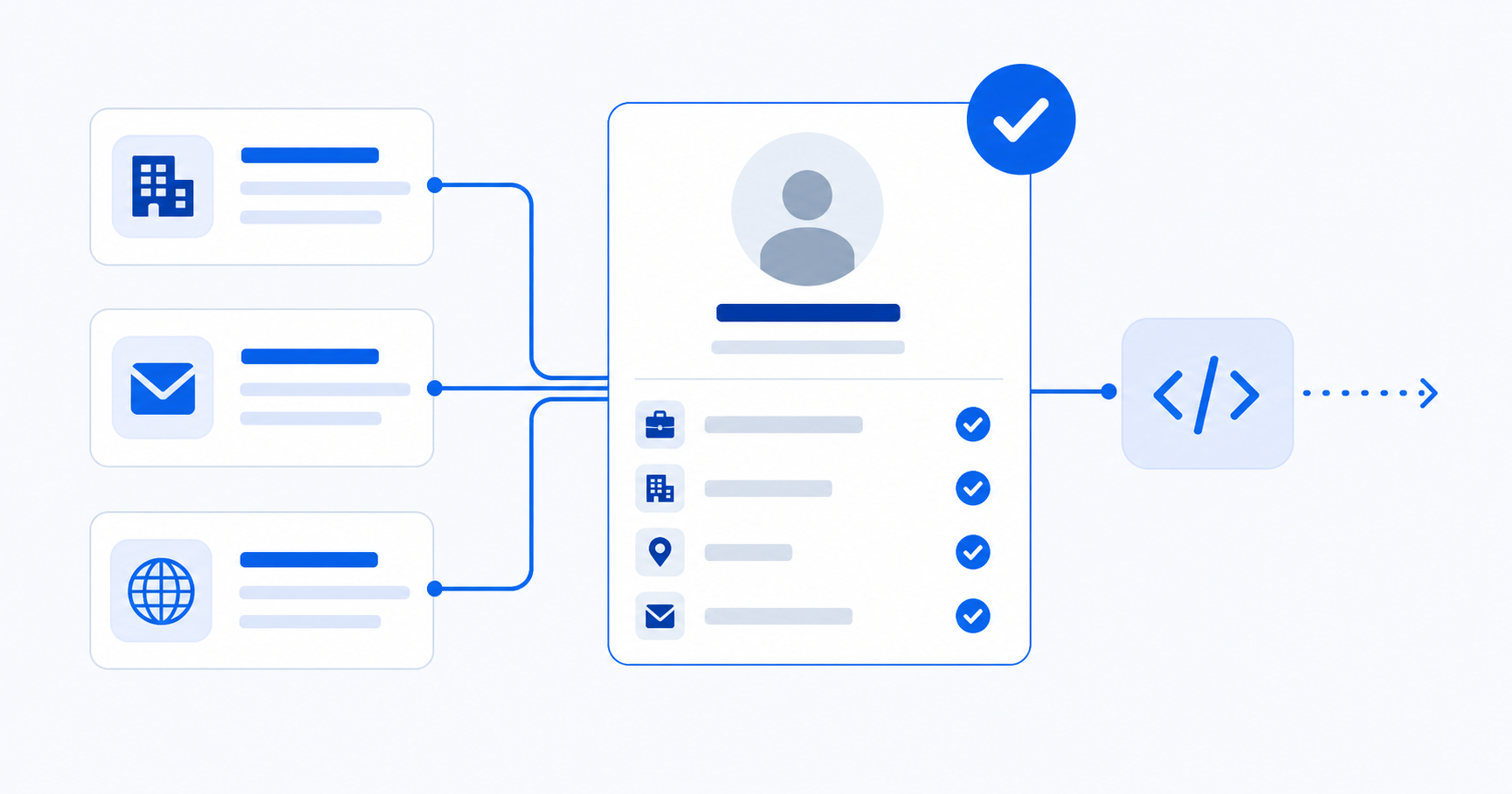
What Is a People Enrichment API?
A people enrichment API takes a few details about one person and returns a likely match. People Data Labs, for example, documents a 200 response for a match and a 404 response for no match. It also lets you set a minimum likelihood score (People Data Labs, Person Enrichment API reference, retrieved July 19, 2026).
In plain English, it fills or checks facts already on a lead. It may return a job title, employer, work location, profile link, or email status. It does not prove that a CRM record is correct.
Think of the API as a tool that helps your team decide what to do next:
- Input: An email, phone number, profile URL, or a combination such as name and company.
- Match: The service decides whether a record is likely to describe the same person.
- Output: Your app gets only the fields it asked for, plus match details when available.
- Action: Your CRM, routing rule, or research view decides what to do next.
The last step matters most. The result should help a workflow. It should not quietly replace a rep's notes.
Which Inputs Produce Better Matches?
Good inputs cut down on guesswork. People Data Labs accepts a profile, email, phone, email hash, LinkedIn ID, or a name paired with context such as company or location (People Data Labs, Person Enrichment API reference, retrieved July 19, 2026).
Start with the ID your workflow already has. Do not add personal data just because an API accepts it. Use this order:
- Work email or profile URL: Usually the clearest key for a CRM contact.
- Name plus company domain: Use this when the email is missing.
- Name plus location or role: Use this only when names may clash.
Ask the API for a confidence threshold
Match confidence is a safety check, not a nice-to-have. Set the limit based on the cost of a wrong match. A blank field is better than a wrong employer or phone number.
Send strong matches to an update queue. Send weak matches to review. A 404 is useful too. It tells your system to keep the record as it is.
Keep identity fields separate from enrichment fields
Keep lookup inputs separate from returned fields. This helps you check a match, handle a complaint, and run a new lookup after a job change.
It also stops a common CRM mistake. An email or profile URL may identify a person. A job title can change, so it needs a freshness rule.
What Should a People Enrichment API Return?
The best response is one your next system can use safely. Ask for a short list of fields, not a full profile. GDPR data-minimisation rules say you should process only data needed for the stated purpose (European Commission, Principles of the GDPR, retrieved July 19, 2026).
For a lead-routing workflow, a practical response contract may include:
| Field group | Example fields | Workflow use |
|---|---|---|
| Identity | full name, company domain, profile URL | Confirm the match and prevent duplicates |
| Role | title, seniority, department | Assign owner and tailor messaging |
| Company context | employer, employee range, industry | Check ICP fit and account priority |
| Contactability | work-email status, approved phone field | Choose a channel when your policy permits it |
| Quality metadata | match score, source, observed date | Decide whether to update, review, or ignore |
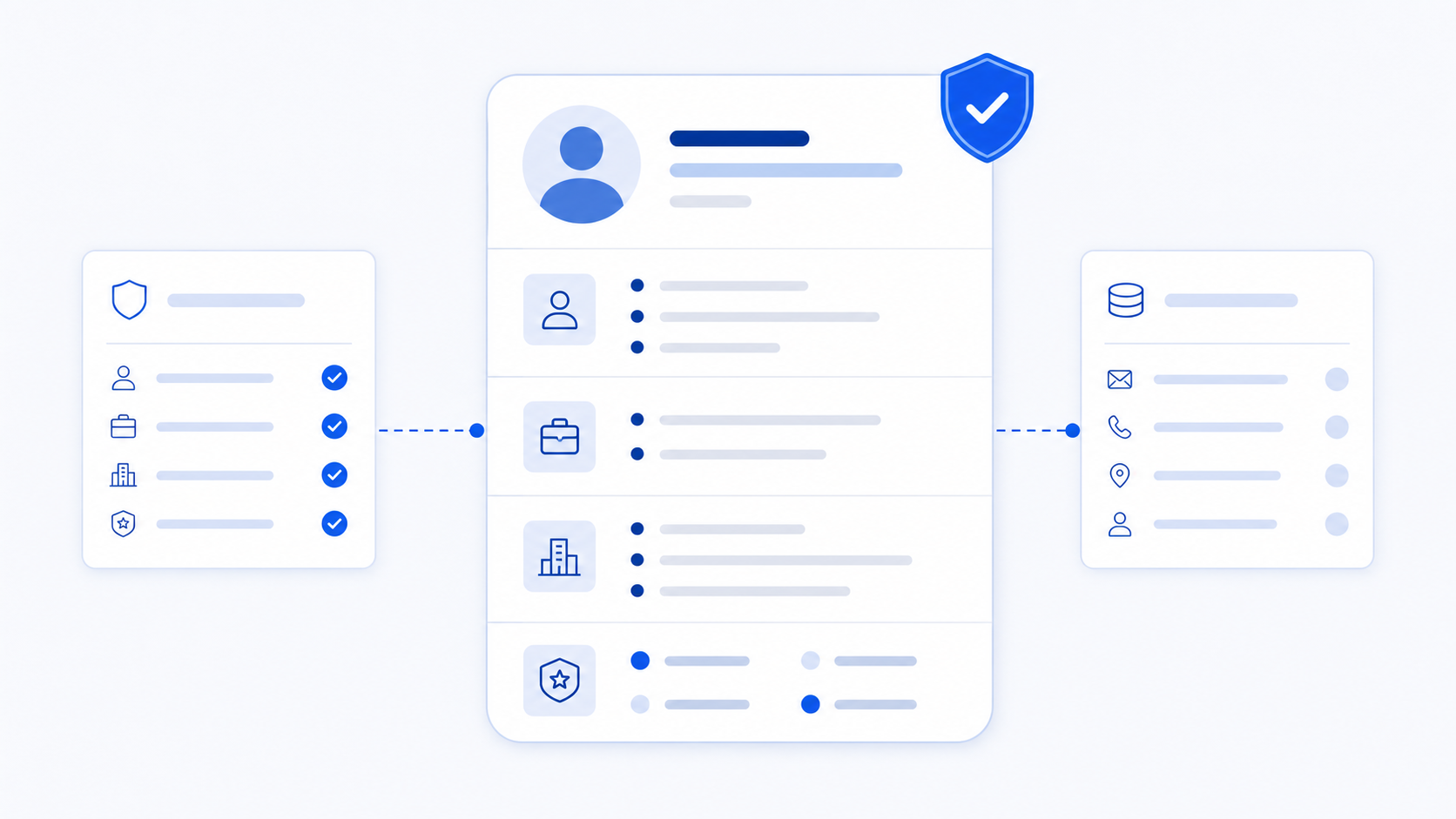
Do not save the full API response as one hidden blob. Give each saved field an owner, a clear use, a refresh rule, and a way to fix or suppress it.
Practical rule: If a field will not change routing, fit, messaging, reporting, or customer care, do not request it by default.
Build a Safe Enrichment Workflow
Safe enrichment runs when a real event happens and follows clear write rules. It is not a blind bulk import. GDPR also requires data to be accurate and up to date for its use (European Commission, Principles of the GDPR, retrieved July 19, 2026).
Use this five-step pattern:
- Use a real trigger. Enrich a new lead, a form fill, or a clearly stale record. Do not call the API over and over.
- Clean the input. Trim emails. Split names when needed. Use a company domain when you have one.
- Ask for only what you need. Send a field allowlist and a confidence limit.
- Set write rules by field. Do not replace a user-checked value with an older vendor value.
- Log the result. Save the time, provider, match state, changed fields, and errors.
This sample request is generic. Adapt it to your provider. Do not copy an endpoint without checking its docs.
POST /v1/people/enrich
{
  "input": {
    "email": "alex@example.com",
    "company_domain": "example.com"
  },
  "fields": ["job_title", "seniority", "company", "profile_url"],
  "minimum_confidence": 0.9
}
Your app should act on the result. A strong, newer match may update job_title. A weak match should create a review item. A no-match should change nothing.
Measure the Workflow, Not Just the Match Rate
Measure the workflow, not just record volume. A high match rate can still hide bad data or fields no one uses. Your dashboard should show whether enrichment improves one real sales decision.
Track these metrics by input type, segment, and provider:
- Match rate: Matches divided by valid lookup requests. A drop can mean weak inputs or poor coverage.
- Useful-field rate: The share of matches that return the field you need, such as title and company domain.
- Accept rate: The share of proposed changes that pass your rules or a human check.
- Freshness: The age of the result and the last time the CRM field was checked.
- Sales outcome: Pick one result, such as faster routing, fewer duplicates, or more qualified meetings.
- Cost per useful update: Total API cost divided by accepted updates that your team uses.
This is a better buying test than, "How many records can it return?" A large field list does not help if the two fields your routing needs are not sound.
For a vendor-by-vendor buying framework, see our comparison of real-time B2B people enrichment APIs. For the CRM side, see these benefits of programmatic CRM enrichment. When you are ready to test a production workflow, review the Datamagnet people API against the same checks: match controls, useful fields, source data, and fit with your tools.
What Privacy and Outreach Rules Apply to Enriched People Data?
Privacy and email rules depend on where you work, what data you use, and why you use it. An API cannot make a workflow lawful by itself. Your team still sets the purpose, legal basis, access, retention, and outreach rules.
For EU personal data, GDPR covers purpose, data limits, accuracy, storage, security, and accountability (European Commission, Principles of the GDPR, retrieved July 19, 2026). Build those rules into the workflow:
- Document why each field is collected and who can access it.
- Keep the source and date with each key update.
- Set a delete and refresh rule. Do not keep data forever.
- Offer a way to ask for access, correction, objection, or suppression.
- Review data terms, data transfers, and security with your privacy lead or counsel.
Email adds another layer. In the United States, CAN-SPAM covers B2B commercial email. The FTC says messages need accurate headers, honest subject lines, a postal address, a clear opt-out, and prompt action on opt-outs (FTC, CAN-SPAM Act: A Compliance Guide for Business, retrieved July 19, 2026). Make suppression a rule across all sales tools.
This is practical guidance, not legal advice. Ask counsel to review the rules that apply to your company and audience.
What Is the Best First Use Case for a People Enrichment API?
Start with a use case that has a clear trigger, a short field list, and one result you can measure. For most B2B teams, that means a new inbound lead. Use enrichment for routing and duplicate checks before you backfill the whole CRM.
Try this rollout:
- Pick one task, such as routing demo requests by role and company fit.
- Define the smallest input and the few fields that change the route.
- Start in view-only mode. Compare the proposed change with the CRM before you write it.
- Set confidence, freshness, and source rules from what you find.
- Turn on limited writes. Check accepted updates and your chosen sales result each week.
You will learn more from a small, controlled test than a huge job with no way back. Start narrow. Set good rules. Then move into account research, lead scoring, hiring, or job-change alerts.
Where Can You Verify the Guidance?
These primary sources support the API and compliance points in this guide. Review them before you set production rules, because vendor terms and local laws can change.
- People Data Labs, Person Enrichment API reference, retrieved July 19, 2026.
- European Commission, Principles of the GDPR, retrieved July 19, 2026.
- European Commission, Dealing with requests from individuals, retrieved July 19, 2026.
- Federal Trade Commission, CAN-SPAM Act: A Compliance Guide for Business, retrieved July 19, 2026.
Frequently Asked Questions
What is a people enrichment API used for?
A people enrichment API adds or checks key facts on a contact record. Teams use it for lead routing, duplicate checks, account research, CRM cleanup, and messaging. Ask only for fields your task needs. Keep the match score, source, and date so you can check the result later.
What happens when a people enrichment API cannot find a match?
A no-match should leave the record as it is and add a log entry. People Data Labs documents a 404 response when its endpoint finds no match (People Data Labs API reference, retrieved July 19, 2026). Do not fill the gap with a guess or a weak match.
How can you avoid incorrect enrichment updates?
Use more than one ID when you can. Set a match limit. Compare dates. Set write rules for each field. Strong matches can update approved fields. Weak matches should go to review. Keep a log so you can trace and reverse a key change.
Is people enrichment API data compliant with GDPR?
An API is not lawful or unlawful by itself. Your team must have a legal basis and follow the rules that apply. GDPR covers purpose, data limits, accuracy, storage, security, and accountability (European Commission, retrieved July 19, 2026). Get privacy advice for your exact use case.
Should you enrich every contact in your CRM?
Usually, no. Start with records tied to one clear task, such as a new inbound lead or a target account. This limits needless processing, keeps cost clear, and gives you one result to track. Expand only after the API improves a decision without hurting data quality.
