
Disclosure: This article is published by Datamagnet. Vendor claims are self-reported unless otherwise noted.
LinkedIn Sales Navigator Tips for B2B Prospecting
LinkedIn Sales Navigator has grown from a contact directory into a full prospecting engine, but most reps still use it like the free version with a few extra filters bolted on. That gap between what the tool can do and what teams actually do with it is where pipeline gets left on the table.
In 2026, Sales Navigator users report a 7% higher win rate and an 18% larger pipeline than reps working off standard LinkedIn, along with 35% faster lead response times (ConnectSafely, LinkedIn Statistics 2026, 2026). This guide walks through six tips, Boolean search, lead segmentation, TeamLink, data enrichment, alert-driven routines, and CRM sync, that turn Sales Navigator from a search tool into a repeatable prospecting system.
TL;DR
- In 2026, Sales Navigator users saw a 7% higher win rate, 18% larger pipeline, and 35% faster lead response than standard LinkedIn users (ConnectSafely, LinkedIn Statistics 2026, 2026).
- Boolean search operators cut irrelevant results by up to 65% when combined with Sales Navigator's filters (Scrupp, How to Build Sales Navigator Boolean Search, 2026).
- TeamLink drives 40% more qualified leads and a 15% higher deal-closure rate for teams that use shared-connection data (GetSales, LinkedIn Sales Navigator Team Pricing, 2026).
- Sales Navigator alone doesn't reliably return verified emails or phone numbers. Pairing it with a data enrichment API is what closes the contact-data gap.

What Is the 3-Layer Prospecting Stack Framework?
The 3-Layer Prospecting Stack separates B2B prospecting into discovery, contact intelligence, and workflow: three jobs that no single tool does well on its own. Sales Navigator owns discovery. A data enrichment API owns contact intelligence. Your CRM owns workflow and tracking.
Layer 1, Discovery & Qualification, is where Sales Navigator earns its subscription fee: unmatched search and filtering across LinkedIn's member graph. Layer 2, Contact Intelligence, fills the gap Sales Navigator leaves open, verified emails, direct-dial numbers, and technographic data. Layer 3, Workflow & Tracking, is your CRM turning enriched leads into logged outreach and pipeline stages.
Citation capsule: The 3-Layer Prospecting Stack splits B2B prospecting into discovery (Sales Navigator's search and filters), contact intelligence (verified email and phone data from an enrichment API), and workflow (CRM-tracked outreach). Teams that treat these as one tool instead of three layers consistently under-use Sales Navigator's discovery power because they stall out trying to make it also handle contact data it was never built to provide.
For a deeper look at how the contact intelligence layer works in practice, see account research infrastructure for AEs.
Tip 1: How Do You Master Boolean Search for Laser-Targeted Prospecting?
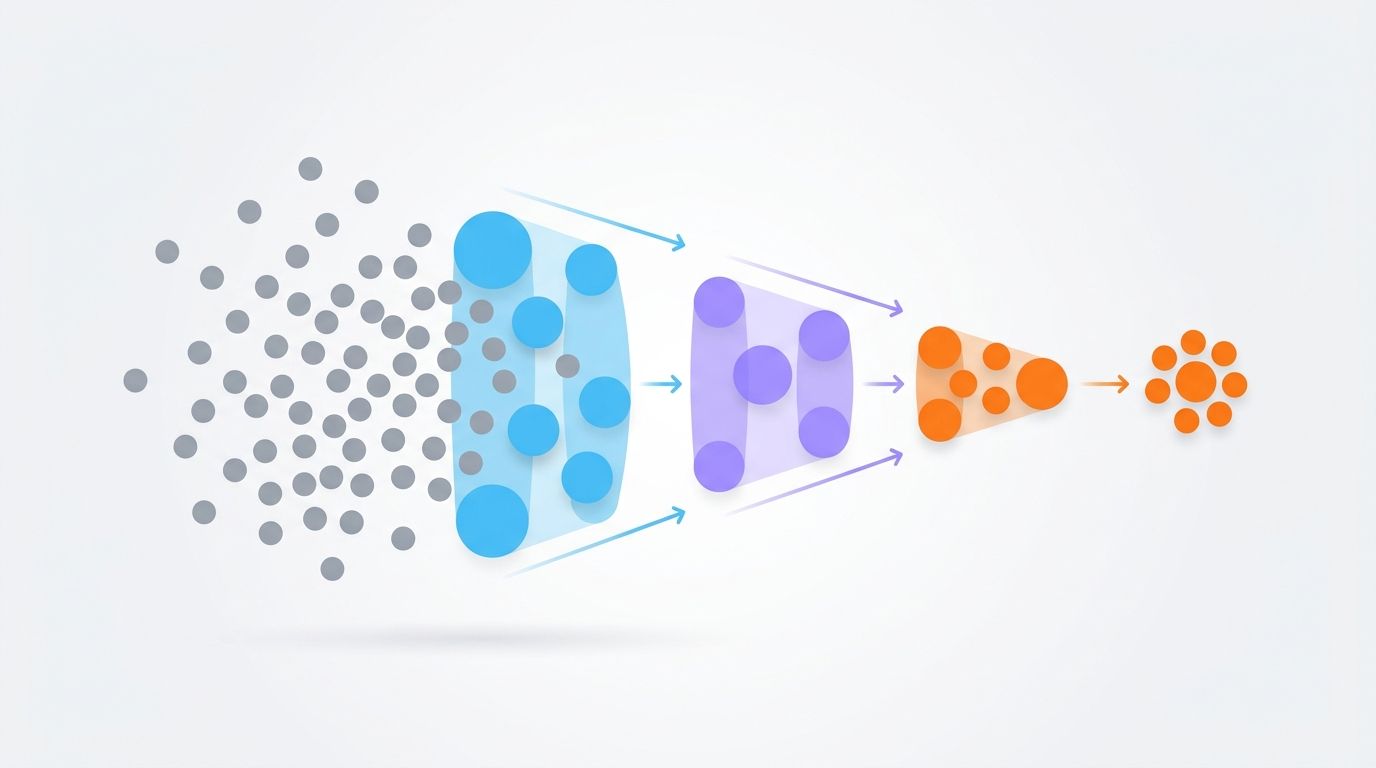
Boolean search operators reduce irrelevant Sales Navigator results by up to 65%, turning a search of millions of profiles into a short list of people who actually match your ICP (Scrupp, How to Build Sales Navigator Boolean Search, 2026). Combining AND, OR, and NOT with Sales Navigator's built-in filters is the single most valuable skill for precision targeting.
Here's what each operator actually does once you're inside a real search:
- Quotes (" ") — exact phrases, like "Vice President of Sales," so you're not matching every VP in every department.
- AND — narrows results by requiring every term ("SaaS AND B2B AND Fintech").
- OR — widens results across synonyms or title variants, usually grouped in parentheses ("CEO OR Founder OR 'Managing Director'").
- NOT — strips out noise, like "NOT (recruiter OR consultant)."
- Parentheses ( ) — groups logic so operators evaluate in the right order.
Skip the parentheses and Sales Navigator will happily misread your query, returning a broad, low-quality list instead of a tight one. In 2026, Sales Navigator processes a maximum of 15 Boolean operators per search (SalesRobot, Sales Navigator Boolean Search, 2026). Stack too many and precision drops, so pair Boolean logic with seniority and industry filters instead of trying to encode everything as text.
Tip 2: Build and Segment Lead Lists by Buying Stage
Segmenting leads by buying stage is what turns a pile of saved profiles into a workable pipeline. Cold, warm, and active-opportunity lists each need different messaging, and mixing them together is the fastest way to send a discovery pitch to someone who's already three calls deep.
Set up separate Sales Navigator lists for each stage, then use tags and notes to log buying signals (content engagement, funding news, a recent title change) as they happen:
- Cold prospects — surfaced by initial search, still need introductory outreach and qualification.
- Warm leads — viewed your profile, engaged with content, or work at a company with recent positive news.
- Active opportunities — already in conversation or have shown clear intent.
- Tags & notes — log shared connections, interactions, and company context for hyper-personalized follow-up.
Saved searches that auto-populate these lists keep them fresh without manual re-searching every week. Prioritize by intent signal: a recent job change usually outranks a stale profile view when you're deciding who to contact first.
| Feature/Capability | Free LinkedIn | Sales Navigator | Impact on Prospecting |
|---|---|---|---|
| Advanced search filters and Boolean operators | Limited filters, basic keyword search | 50+ advanced filters (seniority, function, company size), full Boolean logic | Cuts irrelevant results by 65% |
| Lead list management and segmentation | Basic "Save to Leads" (capped) | Up to 50 Lead Lists, tags, notes, auto-updating saved searches | Streamlines organization and keeps prospect pools fresh |
| InMail credits and outreach capacity | No InMail credits | 50-150 InMail credits/month (tier-dependent) | Reaches decision-makers outside your network; InMail response rates run 10-25% |
| CRM integration and data export | None | Native integrations (Salesforce, HubSpot), limited export, partner API access | Reduces manual entry, but full enrichment still needs a third-party tool |
| TeamLink and relationship insights | None | Warm paths via colleagues' networks and shared connections | Drives 40% more qualified leads for teams using it |
| Real-time alerts for trigger events | Basic connection notifications | Alerts for job changes, company news, funding, content engagement | Enables timely outreach on real buying signals |
For a closer look at building scoring criteria around signals like these, see real-time B2B people enrichment APIs.
Tip 3: How Does TeamLink Improve Relationship-Based Prospecting?
TeamLink, available on Sales Navigator's Team and Enterprise plans, surfaces warm introduction paths through your colleagues' networks: a direct answer to the question every rep asks before a cold InMail. Does anyone here already know this person? In 2026, teams using TeamLink report 40% more qualified leads and a 15% higher deal-closure rate on opportunities that use shared-connection insight (GetSales, LinkedIn Sales Navigator Team Pricing, 2026).
Unique insight: The reps who get the most out of TeamLink aren't the ones checking it after they've already picked a prospect. They're the ones filtering their search results by "connections of my team" first, so warm paths shape who they target instead of being an afterthought once outreach has already started cold.
Citation capsule: TeamLink identifies warm introduction paths through a sales team's collective LinkedIn network, and teams using it report 40% more qualified leads with a 15% higher deal-closure rate compared to cold outreach alone (GetSales, LinkedIn Sales Navigator Team Pricing, 2026). The mechanism is simple: a referenced shared connection makes an InMail read as vouched-for rather than unsolicited.
Practical moves that make TeamLink pay off:
- Identify warm paths before drafting outreach, not after: filter search results by shared connections first.
- Reference the connection or group directly in your InMail to build instant rapport.
- Watch engagement signals — profile views, content interactions, job changes — inside Sales Navigator alerts.
- Act on trigger events like funding rounds or new hires, which often mean new budget or new pain points.
This timing discipline is the same principle behind AI-powered sales development: insight-driven timing outperforms volume-driven outreach.
Tip 4: Why Pair Sales Navigator with Data Enrichment Tools?
Sales Navigator is unmatched for discovery, but it doesn't reliably hand you a verified email address or a direct-dial phone number: the exact data a rep needs to actually start a conversation. That gap is Layer 2 of the prospecting stack, and it's where a dedicated enrichment API earns its keep.
A data enrichment API can plug into Sales Navigator profiles in real time, appending verified emails, phone numbers, and technographic data on top of what discovery search already found. In 2026, that kind of automation compresses an 18-minute manual research task per prospect down to under 3 minutes (SendIQ, Manual Prospecting vs. AI-Powered Enrichment Efficiency Comparison, 2026), saving SDRs an estimated 10-15 hours per week (Pintel, SDRs Spend Too Much Time Prospecting, 2026).
Field note: Teams that skip enrichment almost always discover the gap the same way. A rep spends 20 minutes hand-verifying an email before an InMail even gets a response, multiplies that by a full prospecting list, and realizes the "free" manual process was the most expensive part of their week.
- Verified contact data — pull accurate emails and direct-dial numbers straight from Sales Navigator profiles.
- Technographic insights — see a target account's tech stack for a more relevant pitch.
- Company-level insights — enrich with revenue, headcount, and funding data alongside contact records.
- Real-time enrichment — keep contact data current, which cuts bounce rates and lifts outreach effectiveness.
In 2026, automated enrichment reaches roughly 95% data accuracy compared to 78% for manual lookups (SendIQ, Manual Prospecting vs. AI-Powered Enrichment Efficiency Comparison, 2026). That accuracy gap is the real ROI case: less time sourcing data, more time selling.
Datamagnet's People API is one option built specifically for this layer, pairing with Sales Navigator to append verified contact and company-level data to profiles you've already qualified.
Tip 5: Set Up Smart Alerts and Daily Prospecting Routines
Sales Navigator's alerts function as free, real-time buying signals: a job change, a funding round, a new product launch, that give you a legitimate reason to reach out instead of a cold pitch out of nowhere. Building a short daily routine around them is what separates reps who catch these windows from reps who find out three weeks late.
Configure alerts for the events that actually correlate with buying intent, then build a habit around checking them:
- Job change alerts — a new role often means new budget or a fresh mandate, and outreach timed to it lands differently than outreach that isn't.
- Company news alerts — funding, mergers, and product launches signal growth or strategic shifts worth a conversation.
- Content engagement alerts — a profile view or content interaction is a direct interest signal that deserves fast follow-up.
- Daily routine — 15 minutes each morning reviewing alerts and new saved-search matches, prioritized by freshness.
InMail response rates sit at 10-25% in 2026 (Salesso, LinkedIn InMail Response Rate Statistics, 2026), and messages that reference a specific alert instead of a generic pitch consistently land at the higher end of that range. Track which message types and timing patterns perform best so your routine keeps improving instead of running on autopilot.

Tip 6: Export and Sync Data to Your CRM Efficiently
The final layer of the prospecting stack is getting Sales Navigator data into your CRM without losing accuracy along the way. Native integrations with Salesforce and HubSpot embed Sales Navigator panels into contact records, so reps can view profiles and send InMails without leaving the CRM. But neither platform natively enriches those records with verified emails or phone numbers (LeadCRM, HubSpot vs. Salesforce for SaaS Startups, 2026). That gap is exactly what a third-party enrichment layer is for.
- Native integrations — use built-in connectors for basic lead syncing and embedded profile views.
- Third-party sync tools — layer in an enrichment API that pushes verified contact data directly into CRM records.
- Avoid manual copy-paste — manual entry is error-prone and eats selling time that automation gives back.
- Bidirectional sync — keep Sales Navigator activity and CRM records updated in both directions so nothing gets duplicated or missed.
Citation capsule: Neither HubSpot nor Salesforce natively enriches CRM records with verified emails or phone numbers pulled from LinkedIn, which means teams relying only on native integrations are syncing incomplete contact data by default (LeadCRM, HubSpot vs. Salesforce for SaaS Startups, 2026). Closing that gap requires a third-party enrichment layer between Sales Navigator and the CRM.
Get this right and your sales team works from one accurate source of truth instead of reconciling three half-updated systems by hand. For a closer look at what that sync architecture looks like in practice, see programmatic CRM enrichment.
Key Takeaways
- Sales Navigator meaningfully outperforms free LinkedIn for B2B prospecting, with a 7% higher win rate and 18% larger pipeline reported by users in 2026.
- Boolean search, done right with parentheses and filters, cuts irrelevant results by up to 65%.
- Segmenting lead lists by buying stage and using TeamLink for warm intros both lift response rates.
- Sales Navigator alone can't deliver verified contact data. A data enrichment API closes that gap and saves SDRs hours per week.
- Smart alerts turn trigger events into a repeatable daily prospecting routine instead of guesswork.
- CRM sync needs a third-party enrichment layer to avoid pushing incomplete contact records.
Conclusion
Sales Navigator is indispensable for B2B prospecting, but it was never meant to work alone. Used as the discovery layer in a 3-Layer Prospecting Stack, Sales Navigator for search, an enrichment API for contact intelligence, your CRM for workflow, the tool compounds instead of plateauing.
Small gains in search precision, data accuracy, and timing add up fast. Audit your current Sales Navigator usage against these six tips, find the biggest gap, and fix that one first. Ready to close the contact-data gap? Enrich your Sales Navigator leads with Datamagnet's People API.
Frequently Asked Questions
What is the difference between LinkedIn Sales Navigator and regular LinkedIn for prospecting?
Sales Navigator adds advanced search filters, lead and account lists, InMail credits for messaging non-connections, and CRM integrations, none of which free LinkedIn offers. Free LinkedIn also caps search results and lacks saved searches and real-time alerts, both critical for serious B2B prospecting at scale.
How much does LinkedIn Sales Navigator cost in 2026?
In 2026, the Professional tier runs around $99/month, with Team and Enterprise plans priced higher, typically per user per month. Final pricing depends on contract length (monthly vs. annual) and how many licenses a team purchases, so it's worth requesting a quote for exact team pricing.
What are the best Boolean search operators to use in Sales Navigator?
The core operators are AND, OR, NOT, parentheses, and quotes. For VPs of Marketing at SaaS companies, a query like ("Vice President" OR "VP") AND Marketing AND SaaS NOT (Assistant OR Junior) combines all five to return a tight, relevant list instead of a broad one.
How do I export leads from Sales Navigator to my CRM?
Sales Navigator has native integrations with Salesforce and Dynamics 365 for saving leads and accounts directly. For fuller data export with verified emails and phone numbers, most teams add a third-party enrichment tool or browser extension before syncing records into the CRM.
Is LinkedIn Sales Navigator worth it for small sales teams?
Yes, generally, for small teams doing active outbound prospecting who need more than 10-15 qualified leads a week. The time saved through advanced targeting and the lift in response rates typically justify the monthly cost by accelerating pipeline generation faster than manual LinkedIn search.
How can I get verified email addresses from Sales Navigator profiles?
Sales Navigator doesn't reliably surface verified emails or direct phone numbers on its own. It's built for profile discovery, not contact enrichment. Data enrichment tools like Datamagnet integrate with Sales Navigator to append accurate, real-time contact data on top of the profiles you find.
What are TeamLink and lead recommendations in Sales Navigator?
TeamLink shows which of your colleagues are connected to a target prospect, opening a path to a warm introduction instead of a cold InMail. Lead recommendations use AI to suggest new prospects who resemble leads you've already saved or engaged with, helping expand target lists without new manual searches.
How often should I check Sales Navigator alerts and saved searches?
Daily is the standard recommendation, ideally as a 10-15 minute morning routine. Checking daily lets you act quickly on trigger events like job changes or funding news while the signal is still fresh, which is what drives the higher response rates alert-based outreach tends to see.
Can I use Sales Navigator data with automated prospecting tools?
Yes, but it needs a compliant approach that respects LinkedIn's terms of service. Best practice is using Sales Navigator purely for discovery and qualification, then exporting identified leads (often through an enrichment tool) into outreach sequences run by a separate automation platform.
What is the best way to organize lead lists in Sales Navigator?
Segment by buying stage (cold, warm, active opportunity), account tier (enterprise, mid-market, SMB), or campaign theme. Layering in tags for context, like "attended webinar" or "downloaded content", adds another dimension for staged, personalized outreach without creating a separate list for every combination.
Glossary
Boolean Search A search method using operators (AND, OR, NOT) to combine or exclude keywords for more precise database results.
Data Enrichment The process of appending verified information (email, phone, technographics) to existing prospect data sourced from a profile like LinkedIn.
TeamLink A Sales Navigator feature that surfaces shared connections between a sales team and target prospects across the team's collective network, enabling warm introductions.
ICP (Ideal Customer Profile) A description of a company's best-fit customer, defined by firmographic, demographic, and behavioral attributes.
InMail A LinkedIn Sales Navigator messaging feature that lets users message members outside their direct network, generally outperforming cold email on response rate.
Trigger Event A notable change for a prospect or company, such as a job change, funding round, or expansion, that signals a potential buying opportunity for timed outreach.
Saved Search A stored Sales Navigator search that automatically surfaces new leads or accounts matching its criteria, enabling continuous, low-effort prospecting.
