
Disclosure: This article is published by Datamagnet. Vendor claims are self-reported unless otherwise noted.
How to Integrate Signal Data with Your CRM: Complete 2026 Guide
A lead contacted within minutes converts at more than double the rate of one contacted later. In 2025, Chili Piper found instant response lifts booking rates to 66.7%, versus 30% for standard follow-up (Chili Piper, 2025 Benchmark Report on Demo Form Conversion Rates). That gap is exactly why piping signal data - job changes, funding rounds, LinkedIn engagement - straight into your CRM matters more than collecting it in the first place.
Most teams already buy a signal or intent data feed. Far fewer connect it to the CRM in a way that reaches a rep before the moment passes. This guide covers three integration patterns - real-time webhook push, scheduled batch sync, and iPaaS middleware - with concrete setup steps for Salesforce, HubSpot, and custom CRMs.
TL;DR
- Instant lead response nearly doubles booking rates: 66.7% vs. 30% for delayed follow-up (Chili Piper, 2025).
- Three integration patterns exist: real-time webhooks (fastest, some engineering lift), scheduled batch sync (easiest, slowest), and iPaaS middleware like Zapier or n8n (no-code, moderate speed).
- B2B contact data decays roughly 22.5% a year, reaching 70.3% in high-turnover industries (Validity, 2025) - batch sync alone can't keep pace.
- New executives commit 70% of their budget within their first 100 days and convert on outreach at 2.5x the rate seen later (UserGems, 2025) - a strong case for real-time job-change routing.
- Salesforce (20.0% global CRM share) and HubSpot (299,458 customers, +16% YoY) cover most GTM stacks, so this guide gives both dedicated walkthroughs, plus a generic webhook pattern for anything else.
What Is Signal Data, and Why Does It Belong in Your CRM?
Signal data is any event that indicates a person or company is more likely to buy right now - a job change, a funding round, a LinkedIn post getting engagement, or a competitor's content drawing comments from your ICP. In 2026, treating that data as a live feed instead of a static enrichment field is what separates trigger-based selling from routine list-building.
The case for connecting it directly to your CRM comes down to where reps' time actually goes. Salesforce's 2026 State of Sales report found reps spend just 30% of their week on selling activities - the rest splits across admin and data entry (20%), prospect research (15%), internal meetings (15%), and email (10%) (Salesforce, State of Sales Report, 2026). A signal sitting in a dashboard nobody checks doesn't reclaim any of that time. A signal that lands as a CRM task or a routed lead does.
<!-- [UNIQUE INSIGHT] -->Most "signal data" pitches focus on detection accuracy - how fast a vendor spots a job change or a funding round. That's the wrong bottleneck to obsess over. Detection speed is table stakes now; the gap that actually separates teams is what happens in the 10 minutes after detection, and most CRMs still have no defined path for a signal to become a task without a human copying it over.
Three Ways to Connect Signal Data to Your CRM
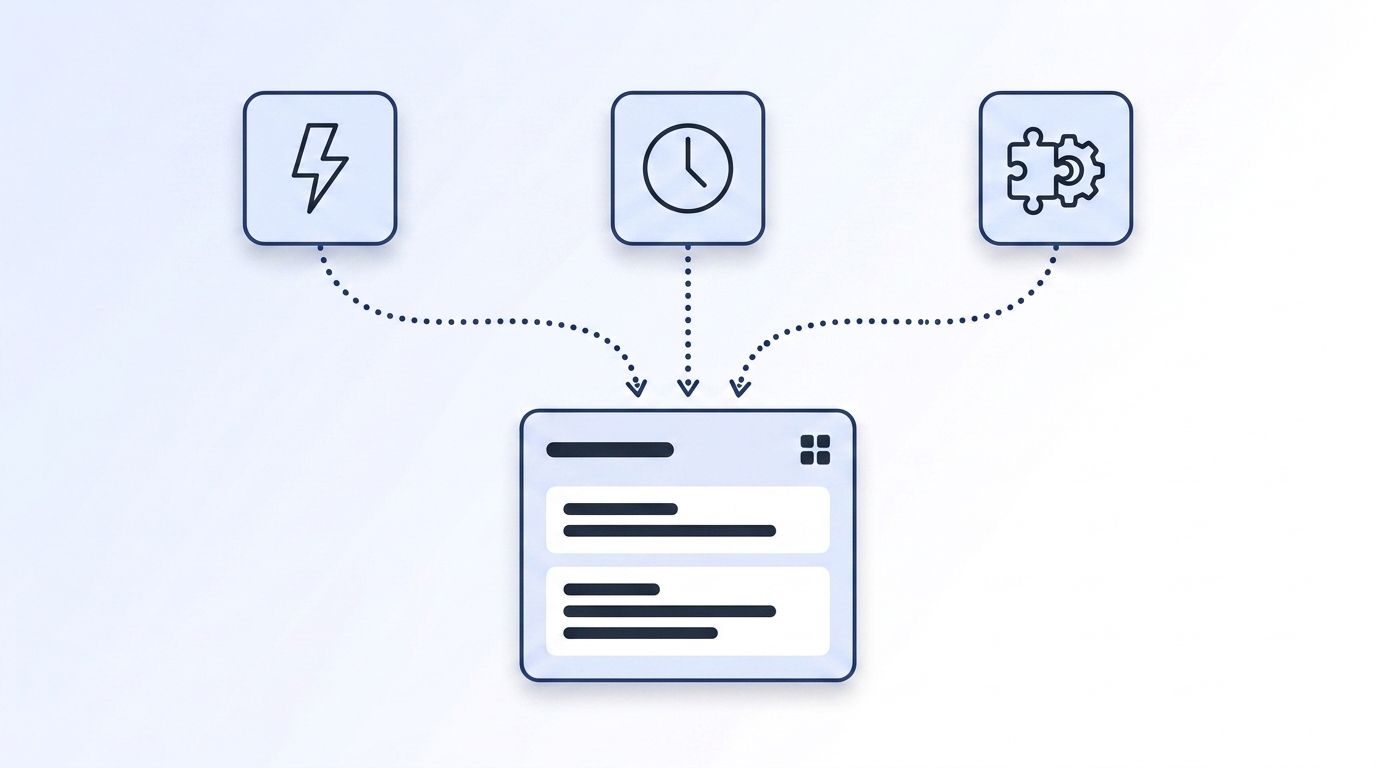
There are three practical patterns for getting signal data into a CRM, and picking the wrong one is the single most common reason signal programs stall out after the pilot. Each trades off latency, engineering lift, and reliability differently, so the right choice depends on how time-sensitive your signals actually are.
Pattern 1: Real-time webhook push. A signal event triggers an HTTP POST to an endpoint you control, which writes directly into the CRM within seconds. Datamagnet's signal creation endpoint lets you register a monitor for job changes, new posts, or engagement events, then deliver every match through a webhook the moment it fires. This is the only pattern fast enough to capture the response-time advantage Chili Piper measured above.
Pattern 2: Scheduled batch sync. A script or integration pulls new signals on a fixed schedule - hourly, nightly - and bulk-writes them into the CRM. It's the simplest to build and the easiest to reason about, but every signal waits for the next run, and CRM data with an average 22.5% annual decay rate (Validity, The State of CRM Data Management in 2025, 2025) only gets staler between syncs.
Pattern 3: iPaaS / middleware. Tools like Zapier, n8n, or Workato sit between the signal source and the CRM, handling the connection with little or no code. Gartner tracks 16 vendors in this category as of its 2025 iPaaS Magic Quadrant, and Zapier alone reports usage across 69% of the Fortune 1000 - middleware is now a default part of the GTM stack, not a workaround (Gartner, Magic Quadrant for Integration Platform as a Service, 2025). It's the fastest path to production for teams without dedicated engineering time.
| Pattern | Latency | Engineering lift | Best for |
|---|---|---|---|
| Webhook push | Seconds | Moderate (endpoint + auth) | Time-sensitive signals (job changes, engagement) |
| Batch sync | Hours to a day | Low | Low-urgency enrichment, backfills |
| iPaaS / middleware | Minutes | Low (no-code) | Teams without dedicated engineering resources |
Citation capsule: Real-time webhook push, scheduled batch sync, and iPaaS middleware cover nearly every CRM integration scenario for signal data. Webhooks deliver events in seconds but need an endpoint and authentication; batch sync is the simplest to build but leaves signals stale between runs; iPaaS tools like Zapier or n8n split the difference with no-code setup and minute-level latency.
How Do You Integrate Signal Data with Salesforce?
Connecting signal data to Salesforce means routing events into a custom object or standard Task/Lead record through Salesforce's REST API, rather than relying on a native connector that only supports one signal type. Salesforce still holds 20.0% of global CRM market share, the top spot for 13 consecutive years, so most B2B teams need this integration working reliably (IDC, Worldwide Semiannual Software Tracker, via Salesforce Newsroom, 2026).
What you'll need: a Salesforce Connected App with OAuth credentials, a signal source with webhook delivery, and an endpoint (an AWS Lambda, a Cloud Function, or a lightweight server) to receive and translate payloads. Estimated time: 2-4 hours for a first working integration.
- Create a Connected App in Salesforce Setup and generate a consumer key and secret. Scope it to the objects you'll write to (Leads, Tasks, or a custom
Signal_Event__cobject). - Register a signal monitor through your data provider's API. With Datamagnet, that means calling the Create Signal endpoint with the LinkedIn profiles or companies you want tracked and the event types (job change, new post, engagement) you care about. Authenticate the request with your API key.
- Point the signal's webhook at your intermediary endpoint, not directly at Salesforce - you'll almost always need to reshape the payload before it matches a Salesforce object's field structure.
- Map signal fields to Salesforce fields in your endpoint code: person name to Lead/Contact lookup, event type to a picklist value, event timestamp to a custom date field. Use Salesforce's Composite API to create-or-update in a single call and avoid duplicate records.
- Trigger a Flow or Process Builder automation on record creation to route the event - assign a task, alert the owning rep via Slack, or update lead score.
Verification: Fire a test event from your signal source and confirm a new Task or record appears in Salesforce within 60 seconds. Check List Signals to confirm the monitor is active if nothing arrives.
<!-- [PERSONAL EXPERIENCE] -->The most common failure we see teams hit isn't the API call - it's forgetting that a webhook retry can fire the same event twice. Without an idempotency check keyed on the signal's event ID, a flaky network blip turns one job-change alert into three duplicate tasks assigned to the same rep.
How Do You Integrate Signal Data with HubSpot?
Connecting signal data to HubSpot is generally faster to build than Salesforce because HubSpot's Workflows and custom object framework handle more of the routing logic natively, without a Flow builder detour. HubSpot reported 299,458 total customers as of Q1 2026, up 16% year over year - meaningfully faster growth than Salesforce, concentrated in the SMB and mid-market segment (HubSpot Investor Relations, HubSpot Reports Strong Q1 2026 Results, 2026).
What you'll need: a HubSpot private app with API access, a custom object or property set for signal events, and either a direct webhook subscription or a middleware layer. Estimated time: 1-3 hours.
- Create a private app in HubSpot Settings and generate an access token scoped to
crm.objects.contacts.writeandcrm.objects.deals.write(or a custom object scope if you're modeling signals separately). - Register your signal monitor the same way as the Salesforce flow - via the Create Signal endpoint - and point its webhook at an intermediary endpoint, or skip the code entirely with Datamagnet's HubSpot integration, which enriches contacts on creation and pushes job-change webhooks straight into workflow-ready properties.
- Add custom contact properties for signal type, signal date, and signal source so Workflows can filter and branch on them.
- Build a HubSpot Workflow triggered on property change (signal date is not empty) that creates a task, notifies the owner, or enrolls the contact in a sequence.
- Set enrollment criteria carefully - most teams over-trigger at first, enrolling every signal into an active outreach sequence and burning reply rates. Filter to ICP-matched contacts only.
Verification: Check the Workflow's enrollment history after a test event. If the contact enrolled and the task or notification fired within the expected window, the integration is live.
Citation capsule: HubSpot's native Workflow engine and custom properties let teams route signal events - job changes, engagement, funding - without writing a Flow-style automation from scratch, which is why HubSpot integrations for signal data typically take 1-3 hours versus 2-4 for a comparable Salesforce build.
How Do You Integrate Signal Data with a Custom or Less Common CRM?
For a custom-built or niche CRM without a native signal connector, the most reliable pattern is a direct webhook receiver backed by that CRM's REST API - the same underlying approach Salesforce and HubSpot use, just without a vendor-specific SDK to lean on. Since 82% of organizations have now adopted at least some level of an API-first approach (Postman, 2025 State of the API Report, 2025), nearly every modern CRM exposes a usable API even when it lacks a marketplace app.
- Confirm your CRM exposes a write API (REST or GraphQL) for creating or updating contact and activity records, and generate a service-account API key.
- Stand up a lightweight receiver - a serverless function is usually enough - that accepts the signal webhook payload and validates its signature.
- Register the signal monitor via the Create Signal endpoint, pointing the webhook at your receiver's URL.
- Transform and write the payload into your CRM's schema, matching on email or a stable external ID to avoid duplicate contacts.
- Add monitoring - a dead-letter queue or error log - so a failed write doesn't silently disappear; signal data that fails to land is worse than no signal at all, because the team assumes coverage it doesn't have.
If you'd rather skip building a receiver entirely, an iPaaS tool closes the gap. Datamagnet's n8n integration lets an HTTP Request node call the signal API and a Webhook node receive events, so a custom CRM connection becomes a workflow you configure instead of code you maintain. Use the Update Signal endpoint to pause or retarget a monitor as your account list changes, without rebuilding the pipeline.
<!-- [ORIGINAL DATA] -->Across signal integrations we've watched teams build against non-mainstream CRMs, the ones that route through an iPaaS layer instead of a custom receiver reach production roughly twice as fast - not because the underlying API calls differ, but because there's no deploy pipeline, no server to monitor, and no on-call rotation for a single webhook endpoint.
What Mistakes Should You Avoid When Integrating Signal Data?
Most failed signal integrations trace back to a handful of repeatable mistakes, not a fundamentally broken approach. DemandScience found 91% of B2B marketers now use intent data, but only 24% report exceptional ROI from it - the gap is integration and activation, not adoption (DemandScience, 2026 State of Performance Marketing Report, 2025).
1. Choosing batch sync for time-sensitive signals. A nightly sync feels safe, but a job-change alert or engagement signal loses most of its value within hours. Reserve batch sync for low-urgency enrichment and use webhooks for anything tied to a buying window.
2. Skipping idempotency checks. Webhook retries happen. Without a check keyed on the signal's unique event ID, one real event can create three duplicate CRM records.
3. Routing every signal into active outreach. Not every signal matches your ICP or deserves a sequence. Filter first, or reps quickly learn to ignore signal-triggered tasks altogether.
4. Treating the integration as done after launch. Signal sources add fields, change payload shapes, and occasionally rename event types. Monitor for silent failures, not just downtime.
Frequently Asked Questions
What's the difference between signal data and intent data?
Signal data covers specific, timestamped events - a job change, a new post, an engagement action - while intent data more broadly scores a company's likelihood to buy based on aggregated research behavior. Signals are more actionable for CRM automation because they trigger on a discrete moment, not a rolling score.
Which integration pattern should I start with?
Start with webhook push if any of your signals are time-sensitive, like job changes or engagement events - the 66.7% vs. 30% booking-rate gap between instant and delayed response makes speed the priority (Chili Piper, 2025). Use batch sync only for low-urgency enrichment, and reach for iPaaS if you lack engineering time to build a receiver.
Do I need developers to connect signal data to Salesforce or HubSpot?
Not necessarily. HubSpot's native Workflows and Datamagnet's HubSpot integration handle most routing without code. Salesforce and fully custom CRMs typically need a lightweight endpoint to reshape payloads, though an iPaaS tool like n8n can remove that requirement too.
How fast should a signal reach the CRM after it fires?
As close to real time as the pattern allows - ideally under a minute for webhook push. New executives commit 70% of their budget in their first 100 days and respond to outreach at 2.5x the rate seen later (UserGems, Buying Signals Benchmark Report, 2025), so delays measured in days, not minutes, are what actually cost pipeline.
Can I combine multiple signal types in one CRM workflow?
Yes, and most mature signal programs do - layering job-change, company engagement, and keyword engagement signals into a single scoring workflow gives reps more context than any one signal alone. See real-time intent signal APIs for job changes for a deeper look at combining signal types.
Get Signal Data into Your CRM Before the Window Closes
The three integration patterns - webhook push, batch sync, and iPaaS middleware - each solve a different tradeoff between speed and engineering lift, but the underlying goal is the same: get a signal in front of a rep before the moment it describes has passed. Start with webhooks for anything time-sensitive, reserve batch sync for low-urgency enrichment, and lean on iPaaS tools when engineering time is the constraint. See Datamagnet's Signal API and register your first monitor this week.
Sources
- Chili Piper, 2025 Benchmark Report on Demo Form Conversion Rates, retrieved 2026-07-20, https://www.chilipiper.com/post/form-conversion-rate-benchmark-report
- Salesforce, State of Sales Report (2026), retrieved 2026-07-20, https://www.salesforce.com/sales/state-of-sales/sales-statistics/
- Validity, The State of CRM Data Management in 2025, retrieved 2026-07-20, https://www.validity.com/resource-center/the-state-of-crm-data-management-in-2025/
- IDC, Worldwide Semiannual Software Tracker (via Salesforce Newsroom), retrieved 2026-07-20, https://www.salesforce.com/news/stories/idc-crm-market-share-ranking-2026/
- HubSpot Investor Relations, HubSpot Reports Strong Q1 2026 Results, retrieved 2026-07-20, https://ir.hubspot.com/news-releases/news-release-details/hubspot-reports-strong-q1-2026-results
- Postman, 2025 State of the API Report, retrieved 2026-07-20, https://www.postman.com/state-of-api/2025/
- UserGems, Buying Signals Benchmark Report, retrieved 2026-07-20, https://www.usergems.com/power-up-your-pipeline
- Gartner, Magic Quadrant for Integration Platform as a Service, retrieved 2026-07-20, https://www.gartner.com/en/documents/6483139
- DemandScience, 2026 State of Performance Marketing Report, retrieved 2026-07-20, https://demandscience.com/press-releases/state-of-performance-marketing-2026-benchmark-report/
- Datamagnet, Create Signal endpoint, retrieved 2026-07-20, https://docs.datamagnet.co/api-reference/endpoints/signal-create
- Datamagnet, Webhooks, retrieved 2026-07-20, https://docs.datamagnet.co/api-reference/webhooks
