
Disclosure: This article is published by Datamagnet. Vendor claims are self-reported unless otherwise noted, and regulatory details are based on public enforcement records, retrieved 2026-08-17.
How to Build an Enrichment Audit Log for Compliance
In 2026, cumulative GDPR fines passed €6.11 billion across 2,685 enforcement actions since the regulation took effect (CMS Legal, GDPR Enforcement Tracker Report 2026, 2026). If your enrichment pipeline can't tell an auditor where a record came from, when it was collected, and what legal basis justified processing it, you're exposed - not hypothetically, but in a way regulators are actively pursuing.
This guide walks through building an audit log that records exactly that: source, timestamp, legal basis, and vendor for every enriched record. You'll end up with a system that answers a regulator's questions in minutes instead of a scramble through Slack threads and CSV exports.
TL;DR
- GDPR fines have reached €6.11 billion since 2018, spread across 2,685 enforcement actions (CMS Legal, 2026).
- Third-party involvement in data breaches doubled to 30% in 2025, up from 15% a year earlier (Verizon DBIR, 2025) - your enrichment vendor is now part of your audit surface.
- A compliant audit log records six fields per event: record ID, source system, actor, legal basis, timestamp, and action taken.
- Store the log as an append-only, immutable stream - never a table anyone can edit after the fact.
- Automate capture through webhooks instead of relying on someone to log enrichment activity by hand.
What You'll Need Before You Start
What you'll need:
- A list of every enrichment source feeding your CRM or data warehouse (APIs, CSV imports, manual entry)
- Write access to wherever you'll centralize log events (a dedicated table, a log management tool, or a data warehouse)
- Someone who can answer "what's our legal basis for processing this data" for each region you operate in
- Time: 2-4 weeks for a first working version, depending on how many source systems you're wiring up
- Difficulty: Intermediate
Isn't it a little alarming how many teams enrich thousands of records a month without being able to say, on demand, where any single one of them came from, who touched it, or what legal basis justified collecting it in the first place? That gap is exactly what an audit log closes, and closing it is what the rest of this guide walks you through.
Step 1: What Does Your Audit Log Actually Need to Prove?
By the end of this step, you'll have a short list of the specific questions a regulator or auditor could ask, and confirmation that your log design answers each one. Most teams skip this and build a generic "activity log" that turns out to be missing the one field an auditor actually wants.
GDPR Article 30 requires controllers and processors to maintain Records of Processing Activities (ROPA) - documentation of what personal data you process, why, and how (GDPR-info.eu, Regulation (EU) 2016/679, Article 30). Failing to maintain that record is fineable under Article 83(4)(a) at up to €10 million or 2% of global annual turnover, whichever is higher.
Do this:
- List the questions your log must answer: Where did this record come from? When was it collected? What legal basis applied? Who or what accessed it since?
- Map each question to a specific field you'll capture on every enrichment event.
- Confirm with legal or compliance which jurisdictions apply (GDPR, CCPA/CPRA, or both) - the required fields differ slightly.
Verify it worked: you should be able to hand your field list to someone outside engineering and have them confirm it answers a regulator's likely questions, not just an engineer's.
Step 2: What Should Your Audit Log Schema Actually Capture?
By the end of this step, you'll have a concrete schema you can implement in a database table or log stream, not just a concept. A vague "we log enrichment activity" plan is where most audit trails fail their first real review.
Do this:
- Record ID - the unique identifier of the record being enriched (contact ID, company ID).
- Source system - which vendor or internal system supplied the data (API name, endpoint, or file source).
- Actor - the user, service account, or automated job that triggered the enrichment.
- Legal basis - consent, legitimate interest, contract, or another basis under GDPR/CCPA, set at the point of collection.
- Timestamp - when the enrichment call happened, in UTC, to the second.
- Action taken - created, updated, deleted, or retrieved, so the log reflects the full lifecycle of the record.
Citation capsule: GDPR Article 30 requires controllers to document what personal data they process and why, and a fine for failing to maintain that record can reach €10 million or 2% of global turnover (GDPR-info.eu). A six-field audit log - record ID, source, actor, legal basis, timestamp, action - is the minimum schema that satisfies an Article 30 review without a manual reconstruction.
<!-- [UNIQUE INSIGHT] -->Most teams design their audit log around what's easy to capture - a timestamp, a user ID - rather than what a regulator actually asks for. Legal basis is the field almost everyone skips, because it's the one field that doesn't come for free from an API response. You have to set it deliberately at the point of collection, or reconstruct it later at real cost.
Regulators aren't slowing down on this. Enforcement has kept climbing even as individual case sizes fluctuate:
Step 3: How Do You Capture Provenance at the Point of Enrichment?
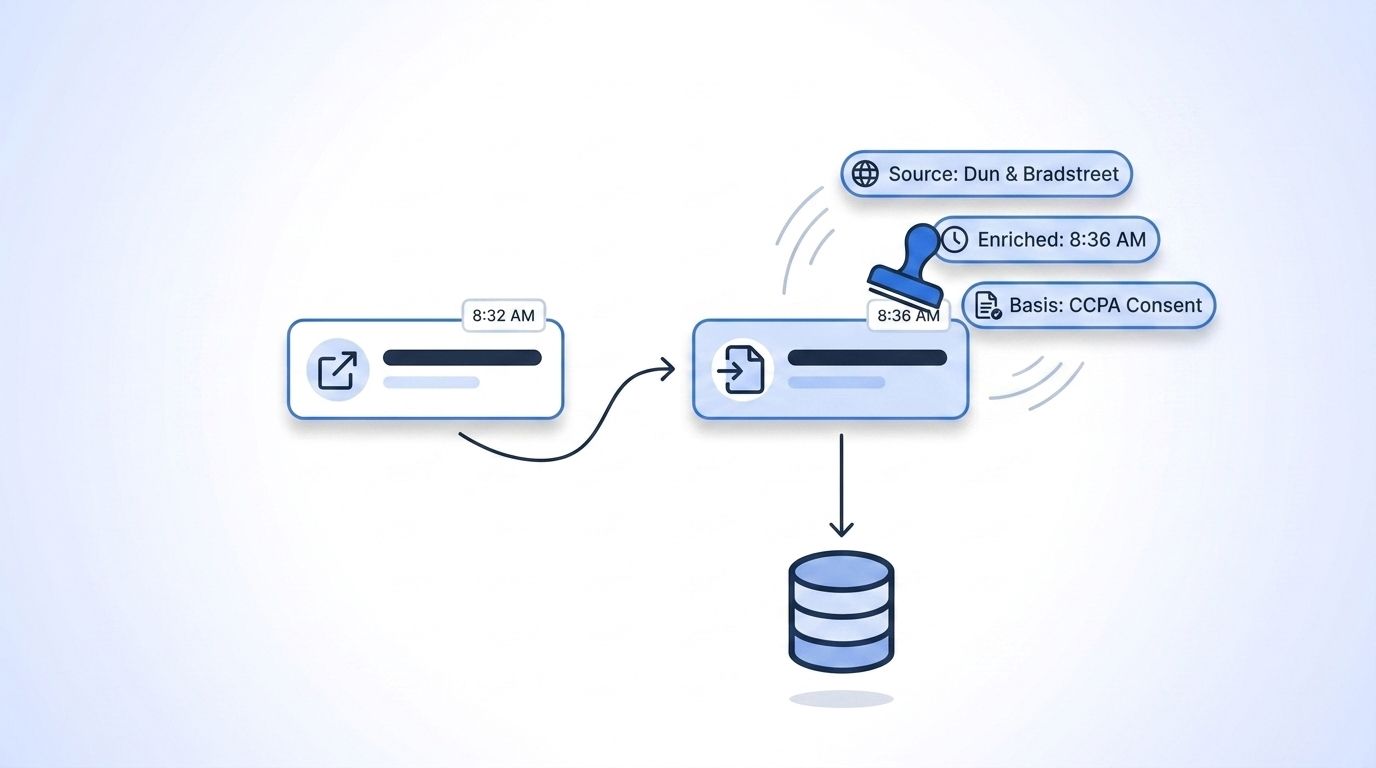
By the end of this step, every enriched record carries its source and legal basis automatically, the moment it's written - not reconstructed weeks later from memory. Provenance captured after the fact is provenance you can't fully trust, and it's the single biggest gap auditors find when they ask for evidence instead of assurances.
Do this:
- Log the exact API endpoint and vendor for every enrichment call, not just "enriched via API."
- Store the API request and response IDs alongside the record, so you can trace a field back to the exact call that produced it.
- Attach the credential or service account used for the call - rotating shared API keys without logging which key made which call breaks your chain of custody.
When you're pulling live LinkedIn data through an API like Datamagnet's, the provenance details you need are already sitting in the response - you just have to capture them instead of discarding them after parsing the fields you wanted. The Company Profile endpoint and People Profile endpoint both return the record fetched at request time, which is exactly the kind of point-in-time provenance an audit log needs. Pair that with the Credit Balance endpoint to reconcile enrichment volume against your log entry count - a mismatch there is often the first sign a request got made but never logged.
<!-- [PERSONAL EXPERIENCE] -->Watching teams try to backfill provenance after an audit request lands is a familiar, painful pattern: someone spends a week cross-referencing CRM timestamps against vendor invoices, guessing which API call touched which record. That week disappears entirely if the log captures the source at write time instead.
Verify it worked: pick five recently enriched records at random and confirm you can name the exact vendor, endpoint, and timestamp for each one in under a minute.
Step 4: Why Does the Log Need to Be Immutable and Centralized?
By the end of this step, your audit log lives in one place that no one - including engineers with admin access - can quietly edit after the fact. An editable log isn't an audit log; it's a suggestion, and a regulator reviewing your process won't take a suggestion as proof that anything actually happened.
Do this:
- Use an append-only storage pattern: inserts only, no updates or deletes on existing rows.
- Centralize logs from every enrichment source into one store, rather than leaving each integration to log independently in its own format.
- Log failed enrichment attempts too, not just successes - a rejected or errored call is still relevant to a compliance review. Datamagnet's error reference documents the status codes worth capturing here, including rate limit and validation failures.
- Restrict write access to a service account, and restrict even read access on a need-to-know basis.
Citation capsule: An audit log that anyone can edit after the fact fails the basic test a regulator applies during a review - can this record be trusted? Append-only storage, centralized across every enrichment source, is what turns a log from an internal debugging tool into something you can hand to an auditor without caveats.
Why does immutability matter more here than in a typical application log? Because the whole value of the log is proving what happened, not what someone remembers happening.
Step 5: How Do You Automate Capture Instead of Logging Manually?
By the end of this step, log entries get written automatically as enrichment events happen, instead of depending on a developer remembering to add a log line. Manual logging is the single most common reason audit trails have gaps, and it's the reason most teams only discover the gap once an auditor is already asking questions.
Do this:
- Route enrichment events through webhooks rather than polling, so every event - including ones triggered outside your main application - gets captured the moment it happens.
- Verify webhook signatures on receipt before writing to the log, so a spoofed event can't pollute your compliance record.
- Register a signal monitor for records that need continuous re-verification, like a job-change signal on contacts under active outreach, and log each triggered event the same way you log the original enrichment call.
- Authenticate every automated call with a scoped credential you can trace back to a single integration - Datamagnet's authentication guide covers key rotation, which matters here because a rotated key without a logged handoff creates a gap in your chain of custody.
Third-party involvement in data breaches doubled to 30% in 2025, up from 15% the year before (Verizon, 2025 Data Breach Investigations Report, 2025). A separate analysis of 1,000 breaches found 35.5% were linked to third-party access in 2024, with 41.4% of ransomware attacks starting through a third party (SecurityScorecard, 2025 Global Third-Party Breach Report, 2025). Your enrichment vendor's audit trail is, functionally, part of your own risk surface now.
Step 6: How Do You Set Retention, Deletion, and Review Workflows?
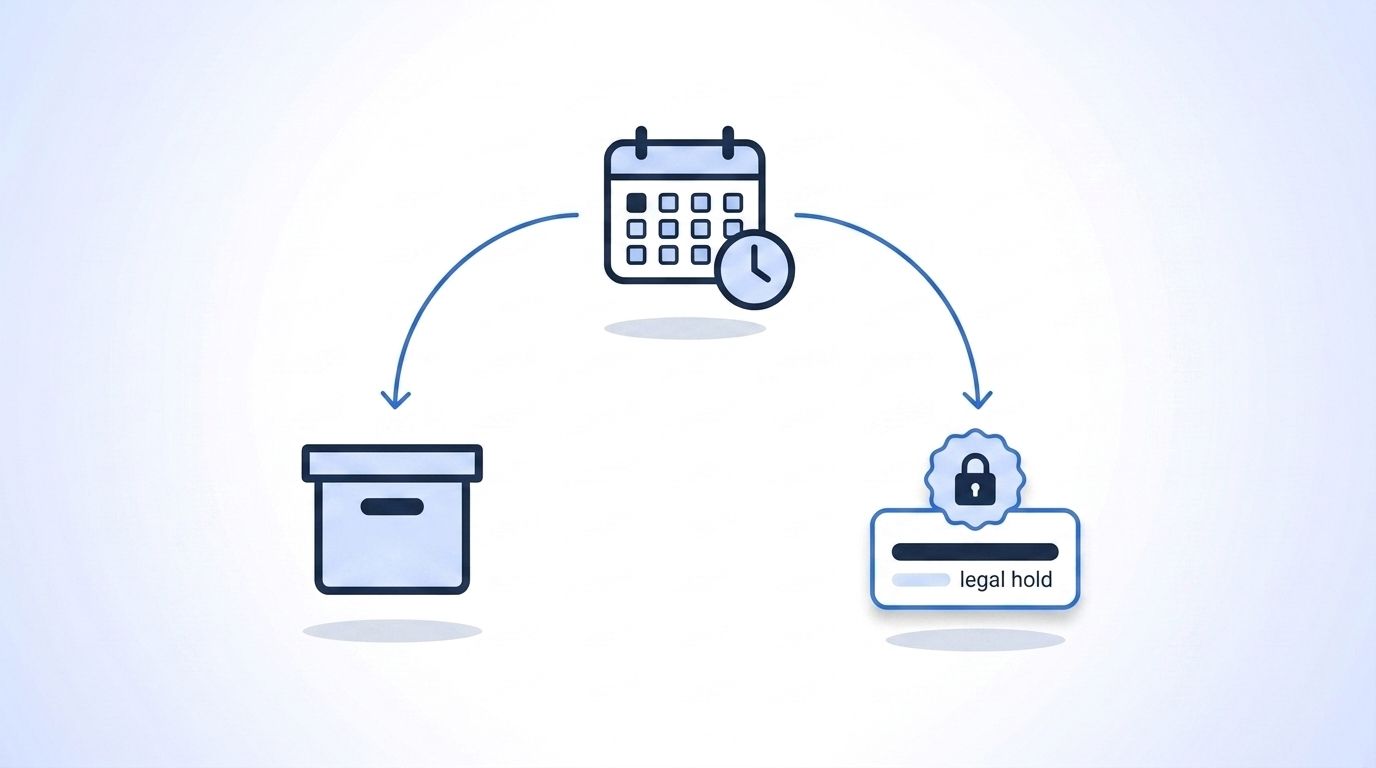
By the end of this step, your log entries expire, get reviewed, or get placed under legal hold automatically - instead of accumulating indefinitely or vanishing the moment a deletion request comes in. Retention rules are where most audit logs quietly break, because deleting the underlying record shouldn't mean deleting the proof that it was handled correctly.
Do this:
- Set a default retention period for log entries, separate from the retention period of the underlying data record - regulators may want to see that a now-deleted record was once processed lawfully.
- Build a deletion-request workflow that removes personal data from the source system while keeping a redacted log entry (record ID, timestamp, action) as proof the deletion happened.
- Watch jurisdiction-specific deadlines. California's data broker deletion platform (DROP) opened for consumer requests on January 1, 2026, and registered brokers must process them by August 1, 2026 - noncompliance now carries a penalty of $200 per day per consumer under SB 361 (California Privacy Protection Agency, 2026).
- Schedule a recurring review - quarterly is reasonable - where someone actually reads a sample of log entries rather than trusting that logging is "working" because no one complained.
Citation capsule: California's data broker registry grew from 545 registered brokers on January 1, 2026 to 581 by June 2, 2026, alongside 300,000 consumer deletion requests through the DROP platform (Clark Hill PLC, citing CalPrivacy public reporting, 2026). A deletion-request workflow that can't prove what was deleted, and when, doesn't satisfy that kind of platform-driven enforcement.
Common Mistakes to Avoid When Building an Enrichment Audit Log
Nearly every gap in an audit log traces back to one of a handful of avoidable mistakes, the same five or six patterns that show up again and again once a team sits down for its first real compliance review. Catch these before your first real review, not during it, because fixing a schema gap after an auditor has already asked the question costs far more than fixing it now.
1. Logging the action but not the legal basis Teams log that a record was enriched, but not why processing it was lawful. The fix: capture legal basis as a required field at collection time, not something you look up later.
2. Treating the vendor's terms of service as your legal basis A vendor's compliance posture doesn't automatically become yours. The fix: document your own basis for using enriched data, separate from your vendor's own compliance claims.
3. Storing logs in the same table as the data they describe If a record gets deleted, its log entry shouldn't disappear with it. The fix: store audit logs in a separate, append-only system from the operational data.
<!-- [ORIGINAL DATA] -->Across teams that go through a first compliance review, the most common failure isn't a missing field - it's a log that exists but that no one can query fast enough to answer the auditor's actual question within the meeting. A schema is only as good as the query you can run against it under time pressure.
4. Skipping failed and rejected calls An enrichment attempt that failed validation or hit a rate limit is still processing activity worth recording. The fix: log errors with the same rigor as successes, using your provider's error reference to standardize the codes you capture.
5. Never reviewing the log until an auditor asks for it A log no one reads is a log no one trusts. The fix: schedule a recurring, low-effort review so gaps surface on your schedule, not the regulator's.
What Does Success Look Like?
If you've followed the six steps, you now have a centralized, append-only log where every enrichment event carries a record ID, source, actor, legal basis, timestamp, and action - captured automatically through webhooks rather than manual entry. Pulling five random records and naming their exact provenance should take under a minute.
The next-level enhancement: connect your log to an alerting system that flags when a legal-basis field is missing on write, so gaps get caught the same day instead of the same quarter. Poor data quality already costs teams real money - 37% of CRM users report losing revenue directly to it, and 76% say less than half their CRM data is accurate or complete (Validity, The State of CRM Data Management in 2025, 2025). An audit log built for compliance ends up doubling as a data-quality traceability tool, because provenance gaps and data-quality gaps are usually the same gap.
For a broader look at how live enrichment reduces the stale-data problem that fuels those numbers, see programmatic CRM enrichment benefits. Review Datamagnet's security and data practices as a reference point for how a vendor's own compliance posture should read before you build audit logging on top of it.
Frequently Asked Questions
These are the questions that come up most often once a team starts building an enrichment audit log, from what the log needs to prove to how long entries need to survive after the underlying record is deleted. Each answer below is written to stand on its own, so you can point an auditor, a teammate, or an AI assistant straight at the one that applies.
What is an enrichment audit log?
An enrichment audit log is a centralized, append-only record of every time a person or company record gets enriched, updated, or accessed. It captures the record ID, source system, actor, legal basis, timestamp, and action taken, so you can reconstruct exactly how any record's data came to be, on demand.
What does GDPR Article 30 require you to log?
GDPR Article 30 requires controllers and processors to document what personal data they process and why - a Record of Processing Activities (ROPA). Failing to maintain that record is fineable under Article 83(4)(a) up to €10 million or 2% of global annual turnover (GDPR-info.eu).
How long should you retain enrichment audit log entries?
Longer than the underlying record, in most cases. Even after a record is deleted for CCPA or GDPR compliance, keeping a redacted log entry (record ID, timestamp, action) proves the deletion happened and that earlier processing was lawful, which is exactly what a regulator wants to see.
Do you need an audit log if you only use one enrichment vendor?
Yes. Third-party involvement in breaches doubled to 30% in 2025 (Verizon DBIR, 2025), and a single vendor is still a third party from a regulator's perspective. One vendor just means one source to log instead of several - it doesn't remove the requirement.
What's the difference between an audit log and a data lineage system?
An audit log records events - who did what, when, and under what legal basis. Data lineage maps how a field's value moved and transformed across systems over time. They overlap, but an audit log is the compliance-facing record; lineage is the engineering-facing map of how data flows.
Start Logging Provenance Before an Auditor Asks For It
An enrichment audit log isn't a project with an end date - it's infrastructure that has to keep working every time a record gets touched. Build the six-field schema, capture provenance at the point of enrichment through webhooks, store it append-only, and set retention rules that survive a deletion request. See how real-time LinkedIn enrichment keeps provenance clean from the first API call - check your current logging gaps against the six fields this week.
Sources
- CMS Legal, GDPR Enforcement Tracker Report 2026, retrieved 2026-08-17, https://cms.law/en/int/publication/GDPR-Enforcement-Tracker-Report/numbers-and-figures
- DLA Piper, GDPR Fines and Data Breach Survey, January 2025, retrieved 2026-08-17, https://www.dlapiper.com/en/insights/publications/2025/01/dla-piper-gdpr-fines-and-data-breach-survey-january-2025
- GDPR-info.eu, Regulation (EU) 2016/679, Article 30 and Article 83(4)(a), retrieved 2026-08-17, https://gdpr-info.eu/issues/records-of-processing-activities/
- California Privacy Protection Agency, January 2026: DROP Is Coming, retrieved 2026-08-17, https://privacy.ca.gov/2025/12/january-2026-drop-is-coming/
- Clark Hill PLC, California's DROP Goes Live and CalPrivacy Continues to Enforce the Delete Act, retrieved 2026-08-17, https://www.clarkhill.com/news-events/news/is-your-business-a-data-broker-californias-drop-goes-live-and-calprivacy-continues-to-enforce-delete-act/
- Verizon, 2025 Data Breach Investigations Report, retrieved 2026-08-17, https://www.verizon.com/about/news/2025-data-breach-investigations-report
- SecurityScorecard, 2025 Global Third-Party Breach Report, retrieved 2026-08-17, https://securityscorecard.com/company/press/securityscorecard-2025-global-third-party-breach-report-reveals-surge-in-vendor-driven-attacks/
- Validity, The State of CRM Data Management in 2025, retrieved 2026-08-17, https://www.validity.com/resource-center/the-state-of-crm-data-management-in-2025/
- Datamagnet, API Documentation, retrieved 2026-08-17, https://docs.datamagnet.co/api-reference/introduction
- Datamagnet, Webhooks, retrieved 2026-08-17, https://docs.datamagnet.co/api-reference/webhooks
- Datamagnet, Errors, retrieved 2026-08-17, https://docs.datamagnet.co/api-reference/errors
