
Disclosure: Datamagnet publishes this article. Product capabilities described below are based on public documentation, retrieved July 20, 2026.
Why You Should Clean Your CRM Data Before Migrating (Not After)
You're moving from HubSpot to Salesforce, or the other way around, and the project is already scoped. In a widely-cited Bloor Research analysis, poor data quality drove 53.4% of data migration overruns (Bloor Research, migration study). Migrate a messy CRM as-is, and you don't fix the mess - you just move it into a new interface.
Nobody wants to talk about this part. The timeline is set, the new system is scoped, and everyone's excited about dashboards and automations. But a CRM migration is also the single best chance you'll ever get to fix your data, because you're already touching every record and rebuilding every process around it.
TL;DR
- In a Bloor Research migration study, poor data quality caused 53.4% of overruns - more than any other factor (Bloor Research).
- 38% of data migration projects run over budget, run over schedule, or get aborted entirely (Bloor Research).
- In 2025, Validity found 76% of CRM users say less than half their CRM data is accurate and complete, and 37% report losing revenue because of it (Validity, State of CRM Data Management 2025).
- B2B contact data decays at roughly 2.1% a month - migrate dirty data and it's already stale again before the new CRM finishes its first sync.
- Clean before you migrate. Cleaning after just means doing the same work twice, in a system you don't know as well yet.
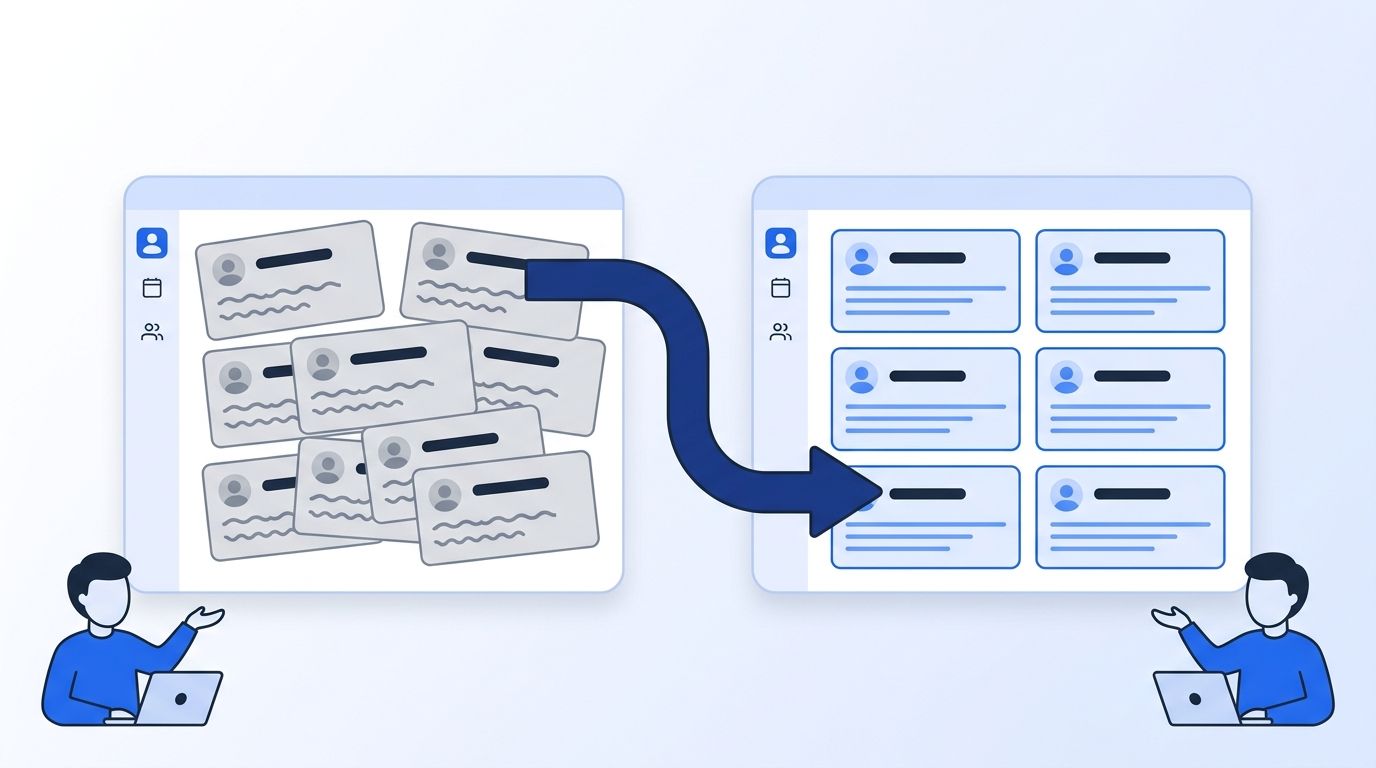
Why Does CRM Migration Data Cleanup Matter So Much?
CRM migration data cleanup matters because dirty data is the single most common reason migrations go over budget or fail outright. In a Bloor Research survey of Global 2000 companies, poor data quality and a lack of visibility into that quality caused 53.4% of migration overruns (Bloor Research), well ahead of technical or process issues combined.
That same research found 38% of data migration projects run over time, run over budget, or get abandoned partway through - down from a startling 84% in an earlier survey, but still a coin-flip's worth of risk (Bloor Research, Data Migration white paper). When a migration overruns, the delay averages around four months and can stretch past a year.
<!-- [UNIQUE INSIGHT] -->Most teams treat "the migration" and "the data cleanup" as two separate projects, scheduled back to back. That's backwards. The cleanup isn't preparation for the migration - it's the part of the migration most likely to determine whether the whole project finishes on time.
Citation capsule: Poor data quality accounts for the majority of CRM migration overruns, not technical failures or vendor problems. A Bloor Research analysis of Global 2000 migrations put the figure at 53.4%, which means the biggest risk to your timeline is sitting in your existing database right now, not in the new platform you're migrating to.
How Messy Is Your CRM Data, Really?
Your CRM data is probably messier than you think, and you're not alone. In its 2025 survey of 602 CRM users, Validity found 76% say less than half of their organization's CRM data is accurate and complete (Validity, State of CRM Data Management 2025). That's not a minor hygiene issue - it's most of the database.
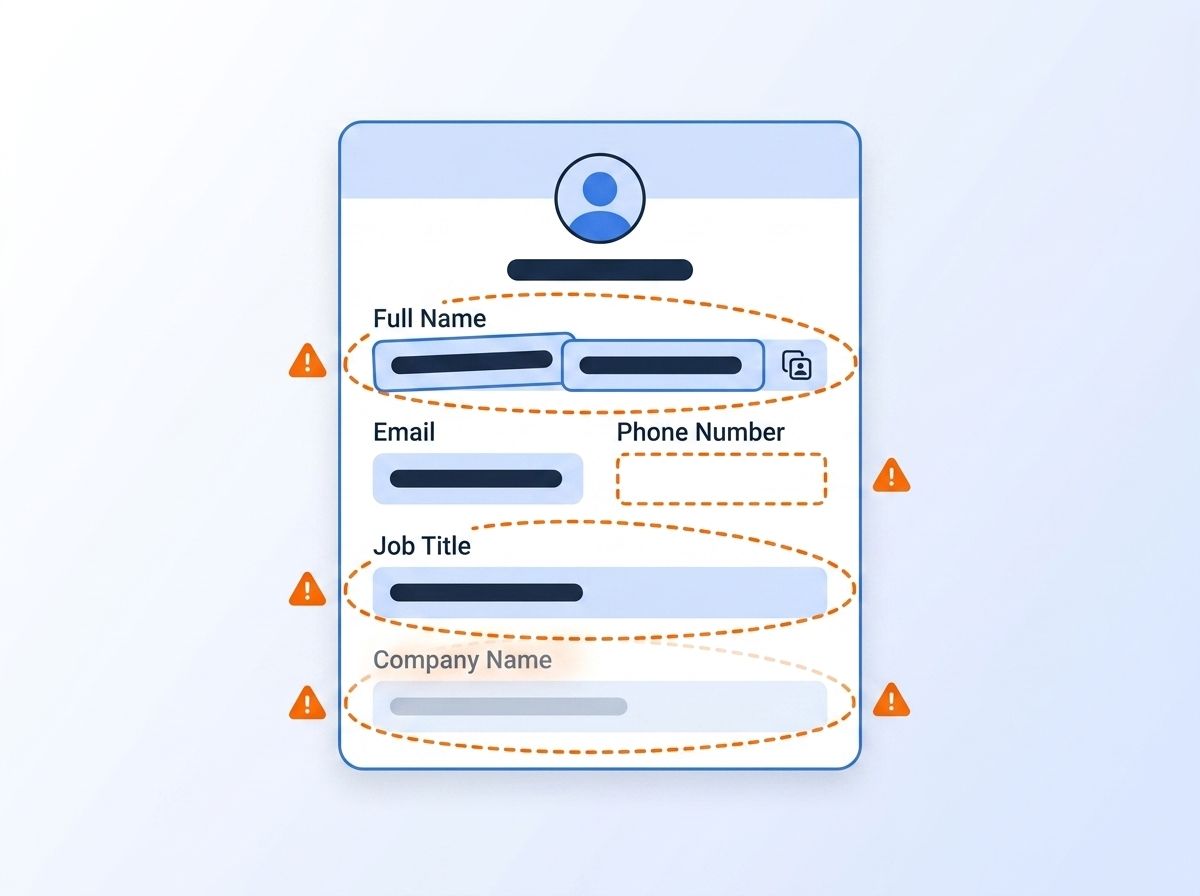
The same 2025 survey found 37% of CRM users report losing revenue directly because of poor data quality - missed follow-ups, misrouted leads, deals assigned to the wrong rep. Isn't it strange how many teams will debate a new sales sequence for weeks but never audit the list that sequence runs against?
What Does Dirty Data Cost You After You Migrate?
Dirty data costs you long after the migration project closes, not just during it. Gartner puts the average financial impact of poor data quality at $12.9 million a year per organization (Gartner), a figure that covers wasted rep hours, misrouted leads, and marketing spend reaching contacts who never see the message.
Migrating that same bad data into a new CRM doesn't reset the clock - it just moves the cost into a system your team is still learning to use. In 2024, Precisely and Drexel University's LeBow College of Business found 64% of data and analytics professionals now name data quality their top data integrity challenge, up from 50% the year before (Precisely & Drexel LeBow, 2025 Outlook: Data Integrity Trends and Insights).
Citation capsule: Bad CRM data has a price tag, not just an annoyance factor. Gartner estimates the average organization loses $12.9 million a year to poor data quality, and that cost doesn't reset when you switch platforms - it follows every dirty record straight into the new system unless you clean it first.
For a deeper look at fixing this problem continuously rather than as a one-time project, see our guide to B2B data validation techniques for maintaining accurate CRM data.
Why Is Migration the Best Opportunity You'll Ever Get to Fix Your Data?
Migration is the best opportunity to fix your data because you're already doing the two hardest parts of any cleanup project: touching every single record, and rebuilding the processes that will keep them accurate. Waiting until after the migration means doing both of those things twice - once in the old CRM's export, and again in the new CRM once the mess resurfaces.

Watching teams schedule "data cleanup" as a phase 2 project, after go-live, is a common pattern. It almost never happens. The migration deadline passes, the new CRM is live, everyone moves on to the next priority, and the duplicate records just sit there, now duplicated across two systems instead of one.
Every field mapping decision you make during migration - which system owns "lead source," how job titles get normalized, what counts as a duplicate - is a decision you'd eventually have to make anyway. Making it once, during the move, beats making it twice.
How Do You Clean CRM Data Before a Migration?
You clean CRM data before a migration by working through five concrete steps in order, each one building on the last. Skipping a step doesn't save time - it just pushes that error downstream into your new CRM, where it's more expensive to fix.
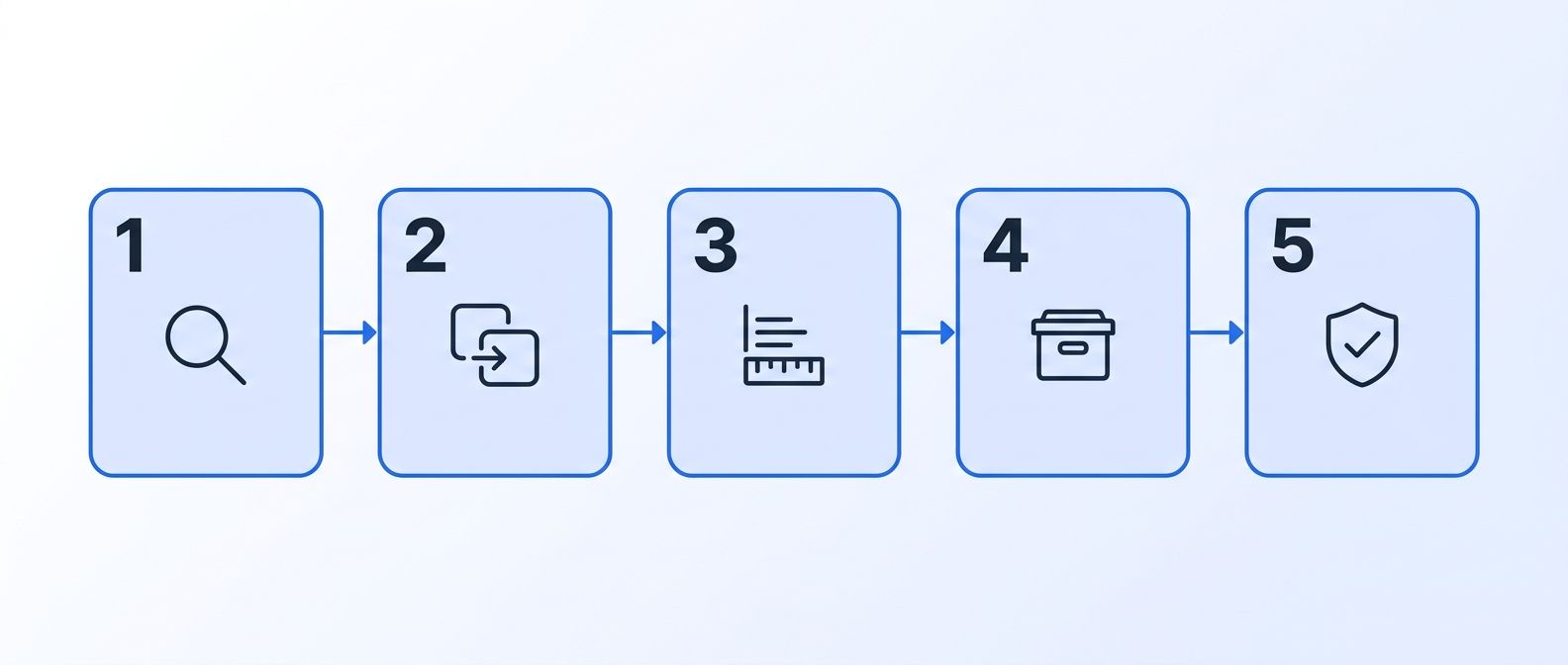
- Audit and inventory your fields. Export a sample of records and map every field you actually use against every field your new CRM expects. Most legacy systems have accumulated fields nobody's touched in years - decide what maps over and what gets left behind.
- Deduplicate person and company records. Merge overlapping contact and account records before you migrate, not after. CRM admins consistently name duplicates as one of their top data quality problems (Validity, State of CRM Data Management 2025), and duplicates only multiply once they're split across two systems.
- Standardize formats and values. Force consistent formatting for job titles, company names, phone numbers, and locations. "VP Sales," "Vice President of Sales," and "VP, Sales" need to become one value, or your new CRM's filters and reports won't work.
- Archive or purge dead records. Contacts who've been unresponsive for years, companies that no longer exist, and test records from old imports don't need to make the trip. Fewer records means a faster, cheaper migration and a smaller surface area for errors.
- Cross-reference against a live, authoritative source. Before you finalize the migration, check your remaining records against current data instead of trusting whatever a form submission or old import said. Datamagnet's People Profile endpoint pulls a LinkedIn profile's current role, headline, and company live, and the Company Profile endpoint does the same for firmographics - so a "current employer" field that's actually two years stale gets caught before it lands in your new CRM.
What Happens If You Migrate Dirty Data Anyway?
If you migrate dirty data anyway, it starts decaying again the moment the project ends. B2B contact data decays at roughly 2.1% a month - about 22.5% a year - as people change jobs, get promoted, or move companies (HubSpot, Database Decay Simulation). A record that was "clean enough to migrate" in January is meaningfully wrong again by summer.
That decay compounds a problem your team already has. In its 2026 State of Sales report, Salesforce found reps spend 60% of their time on non-selling tasks - manual data entry, lead research, tool-switching - leaving only 40% of the week for actual selling (Salesforce, State of Sales, 7th Edition). A freshly migrated CRM full of stale records just gives reps a new place to waste that time.
<!-- [ORIGINAL DATA] -->Teams that skip a pre-migration cleanup tend to report the same pattern within the first quarter post-launch: the "new CRM" starts collecting support tickets about duplicate leads and wrong contact info almost immediately, because nothing about the underlying records actually changed - only the interface around them did.
How Do You Keep Your New CRM Clean After Migration?
You keep a newly migrated CRM clean by treating validation as an ongoing process, not a project with an end date. A batch cleanse checks a snapshot; real-time verification checks a record's current state right before someone acts on it.
Register a job-change signal over your migrated contact list so records get flagged the moment a tracked person's employer changes, instead of waiting for the next scheduled cleanse. Deliver those flags through a webhook, and validation becomes something your new CRM reacts to automatically. Pair that with ICP People Search to re-validate segments against current title, seniority, and company filters using human-readable values, not internal IDs.
If HubSpot is your destination, Datamagnet's HubSpot integration enriches contacts and companies on create and pushes job-change signal updates directly into workflows, so the clean data you migrated in stays clean. For a broader look at building enrichment into the CRM itself instead of a recurring manual task, see our post on programmatic CRM enrichment.
Get ahead of it before you migrate. See how real-time people and company data keeps a freshly migrated CRM validated - check it against your migration list before cutover.
Frequently Asked Questions
Should I clean CRM data before or after migrating to a new system?
Before. Cleaning first means you fix each record once, using knowledge of your old system's quirks. Cleaning after means fixing the same records again, in an unfamiliar interface, after a Bloor Research analysis found poor data quality already caused 53.4% of the migration's overruns.
How long does CRM data cleanup take before a migration?
It depends on database size and duplicate volume, but plan for several weeks minimum on top of the migration timeline itself. Rushing this step is exactly what a Bloor Research study links to the average four-month delay migrations face when they do overrun.
What's the biggest mistake teams make when migrating CRM data?
Treating cleanup and migration as two separate, sequential projects instead of one combined effort. Validity's 2025 survey found 76% of CRM users already say less than half their data is accurate - migrating that as-is just moves the same problem into a system your team hasn't learned yet.
Can CRM data cleaning be automated?
Most of it can. Deduplication, format standardization, and cross-referencing against a live source like a People Profile or Company Profile endpoint all run without manual review, and a job-change signal keeps records current after go-live.
Does data cleanup work the same way for Salesforce and HubSpot migrations?
The core steps - audit, dedupe, standardize, archive, cross-reference - apply regardless of destination platform. Field mapping specifics differ, since Salesforce and HubSpot structure custom fields, ownership, and pipeline stages differently, so budget extra time for mapping validation either direction.
Clean First, Migrate Once
A CRM migration only comes around every few years, and it's the one moment you're already touching every record and rebuilding every process around it. Skip the cleanup, and the same duplicate records, stale titles, and dead leads that caused 53.4% of migration overruns in the first place just move into your new system with you. Audit, dedupe, standardize, archive, and cross-reference against a live source before cutover - then keep validation running continuously with signals and webhooks so the new CRM never gets the chance to go stale the way the old one did. Review security and data practices before scaling any automated cleanup workflow, since compliance obligations vary by jurisdiction. See how real-time people and company data keeps your CRM validated - check it against your migration list this week.
Sources
- Bloor Research, Data Migration white paper, retrieved 2026-07-20, https://silo.tips/download/white-paper-data-migration
- BCS, Data Migration - Data Quality (Bloor Research citation), retrieved 2026-07-20, https://www.bcs.org/articles-opinion-and-research/data-migration-data-quality
- Gartner, Data Quality - Why It Matters and How to Achieve It, retrieved 2026-07-20, https://www.gartner.com/en/data-analytics/topics/data-quality
- Precisely & Drexel LeBow College of Business, 2025 Outlook: Data Integrity Trends and Insights, retrieved 2026-07-20, https://www.precisely.com/blog/data-integrity/2025-planning-insights-data-quality-remains-the-top-data-integrity-challenges/
- Validity, The State of CRM Data Management in 2025, retrieved 2026-07-20, https://www.validity.com/resource-center/the-state-of-crm-data-management-in-2025/
- HubSpot, Database Decay Simulation, retrieved 2026-07-20, https://www.hubspot.com/database-decay
- Salesforce, State of Sales, 7th Edition, retrieved 2026-07-20, https://www.salesforce.com/en-us/wp-content/uploads/sites/4/documents/reports/sales/salesforce-state-of-sales-report-2026.pdf
- Datamagnet, People Profile endpoint, retrieved 2026-07-20, https://docs.datamagnet.co/api-reference/endpoints/people
- Datamagnet, Company Profile endpoint, retrieved 2026-07-20, https://docs.datamagnet.co/api-reference/endpoints/company
- Datamagnet, Webhooks, retrieved 2026-07-20, https://docs.datamagnet.co/api-reference/webhooks
