
Disclosure: Datamagnet publishes this article. Product capabilities described below are based on public documentation, retrieved 2026-08-08.
How to Build a Boolean-Free Sourcing Workflow With People Data APIs
You've written the string a hundred times: site:linkedin.com/in ("software engineer" OR "swe") AND ("python" OR "django") NOT "manager". It still misses the candidate who calls herself a "backend engineer" instead of a "software engineer," and it can't tell you she's not actively looking. Boolean search only finds people who happened to type your exact keywords into their profile.
Only 32% of recruiting teams that use AI in their workflow apply it to candidate search specifically, even though 66% use it for job descriptions and 44% for resume screening (SHRM, The Role of AI in HR Continues to Expand, 2025). Sourcing is the most keyword-dependent, least-modernized step in the funnel, and it's the one costing you the most candidates. This guide walks through replacing your Boolean strings with a structured, API-driven sourcing workflow — no operators, no synonym-guessing, and no more starting from a blank search bar every time a new req opens.
TL;DR
- In 2025, 69% of organizations still reported difficulty recruiting for full-time roles, though that's down from 91% in 2022 (SHRM Talent Trends 2025, 2025) — sourcing friction is easing but hasn't gone away.
- Just 32% of AI-using recruiting teams apply it to candidate search, versus 66% for job descriptions (SHRM, 2025) — sourcing is the most underserved step in the funnel.
- A landmark LinkedIn Talent Solutions study — still the field's benchmark figure over a decade later — found roughly 75% of the workforce is passive, and Boolean search only surfaces people who wrote your keywords into their profile.
- Replace keyword strings with structured ICP filters (title, seniority, function, skills, location), then layer in job-change and engagement signals so the pipeline refreshes itself instead of going stale.
- 88% of organizations using skills-based, structured hiring criteria saw a measurable drop in mis-hires (TestGorilla, State of Skills-Based Hiring 2025, 2025).

What Does "Boolean-Free Sourcing" Actually Mean?
Boolean-free sourcing means replacing hand-built keyword strings with structured filters — job title, seniority, function, skills, and location — queried directly against a people data API instead of a search bar. You stop guessing every synonym a candidate might have typed into their headline and start filtering on fields the API already normalizes for you.
This isn't about abandoning precision. It's about moving precision out of a fragile text string and into a schema. A Boolean query breaks the moment someone writes "Backend Eng." instead of "Software Engineer." A structured filter for seniority + function doesn't care what words are in the headline, because it's matching against a normalized title taxonomy, not literal text.
<!-- [UNIQUE INSIGHT] -->Most sourcing advice treats Boolean strings as a skill to get better at — more operators, smarter nesting, clever NOT clauses. That framing has a ceiling. No amount of operator cleverness fixes the underlying problem: a Boolean string can only match words that already exist in a profile. A structured filter matches meaning (a normalized seniority level, a mapped function) instead of literal text, which is a different mechanism entirely, not just a faster version of the same one.
Why Are Recruiting Teams Moving Away From Boolean Strings?
Recruiting teams are moving away from Boolean strings because they're brittle, slow to rebuild for every new req, and structurally blind to the passive candidates who never bothered to keyword-optimize their profile. In 2025, 69% of organizations still reported difficulty recruiting for open roles, a real improvement from 91% in 2022 but still a majority (SHRM Talent Trends 2025, 2025). Sourcing friction hasn't gone away — it's just shifted from "no candidates exist" to "the ones who exist aren't showing up in your search."
Citation capsule: Boolean search has a structural ceiling: it can only surface candidates whose profile text happens to match your exact string. As of 2025, 69% of organizations still report difficulty recruiting for open roles, and the gap increasingly isn't a talent shortage — it's a search-method mismatch between keyword strings and how people actually describe their own work.
Meanwhile, adoption of AI in recruiting jumped from 26% of organizations in 2024 to 43% in 2025, with 51% of organizations using it specifically to support recruiting workflows (SHRM, 2025). Of those teams, 89% say it saves time or increases efficiency, and 24% say it specifically improves their ability to identify top talent. So why is candidate search the one task everyone's still doing by hand? Sourcing is lagging every other recruiting task in AI adoption — which is exactly the gap a people data API is built to close.
What Do You Need Before You Begin?
Building a boolean-free sourcing workflow doesn't require a data engineering team, but it does help to know exactly what you're walking in with before you start. Here's what you'll need before Step 1: API access, a written ICP for the role, and basic comfort with REST calls or a no-code HTTP tool. Budget two to three hours for your first working query and refresh loop.
What you'll need:
- Access to a people data API with normalized title, seniority, function, and skills fields (this guide uses Datamagnet's ICP People Search as the reference implementation)
- An API key generated through your account, following the authentication guide
- A written ICP for the role — not just a title, but seniority band, function, must-have skills, and location constraints
- Basic comfort with REST calls, or a no-code HTTP tool like Postman, n8n, or Clay
- Time: 2-3 hours for your first working query and refresh loop
- Difficulty: Intermediate
Step 1: How Do You Map Boolean Strings to Structured Filters?
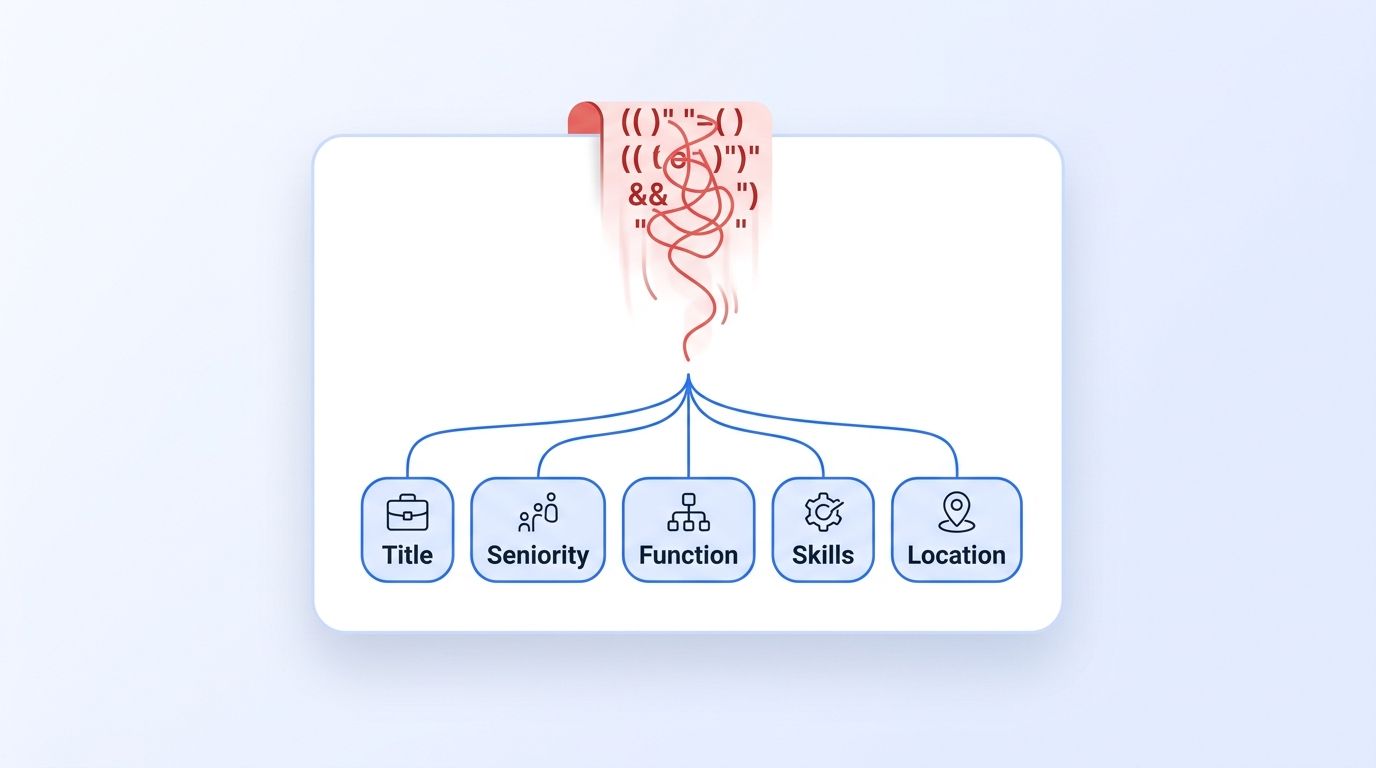
By the end of this step, you'll have every clause in your current Boolean strings translated into a structured filter field, so nothing gets lost in the switch. Pull your three or four most-used Boolean strings and break each clause into a category: title synonyms, seniority signals ("senior," "staff," "lead"), function ("engineering" vs. "product"), required skills, and location. Most Boolean strings are really five or six structured filters wearing a trench coat of parentheses.
- List every OR-grouped title synonym cluster (e.g., "software engineer" OR "swe" OR "backend engineer") — this becomes one title/function filter, not three keyword variants.
- List every AND-required skill or tool — these map to skills filters.
- List every NOT exclusion (e.g., NOT "manager") — this usually maps to a seniority-level filter instead of a text exclusion.
- Check the ICP Search filter reference to confirm which of your mapped categories has a matching structured field.
You'll know this step worked when your longest Boolean string collapses into 4-5 structured filter values instead of a 200-character text block.
Step 2: Get API Access and Authenticate
By the end of this step, you'll have a working API key and a confirmed successful test call. Every people data API workflow starts with authentication, and skipping this step carefully is the single most common source of "it's not working" support tickets. Generate a bearer token from your account dashboard, then follow the Quickstart guide to configure your client and fire a first test request.
- Generate an API key from your account settings.
- Attach it as a bearer token in your request headers, per the authentication documentation.
- Send a test call against the credit balance endpoint to confirm your key works before you build anything on top of it.
- Note your available credits — structured search queries consume credits per page of results, so it's worth checking usage before running a large sourcing sweep.
You'll know this step worked when your test call returns your account's current credit balance instead of an authentication error.
Step 3: How Do You Build Your First ICP People Search Query?
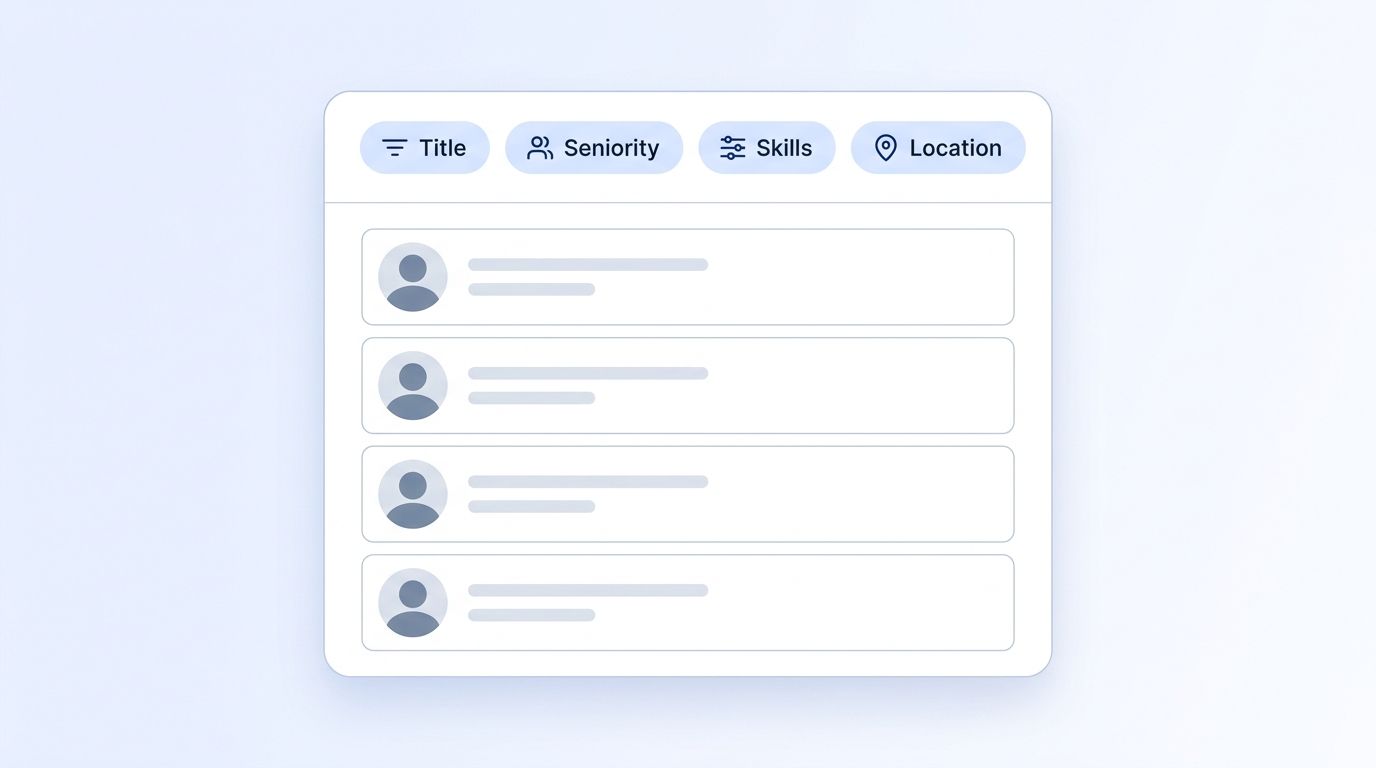
By the end of this step, you'll have a live query returning a candidate longlist built entirely from structured filters — zero Boolean operators. This is where the workflow actually replaces Boolean search. Instead of a search string, you send a request with discrete filter values: job title, seniority, function, company, location, and industry, all in human-readable form rather than internal IDs.
- Start with your mapped filters from Step 1 and pass them to the ICP People Search endpoint.
- If you're unsure of the exact accepted value for a filter (a job title variant, an industry label), query the ICP Suggest endpoint first for autocomplete-style matching instead of guessing.
- Run the query with only 2-3 filters first and check the result count before adding more — over-filtering on your first pass can zero out a candidate pool that a slightly looser Boolean string would have caught.
- Paginate through results and spot-check the first 10 profiles against your written ICP to confirm the filters are matching intent, not just literal field values.
The most common first-query mistake isn't a wrong filter — it's stacking every filter from Step 1 at once and getting zero results, then assuming the API is missing coverage. Structured filters are strict by design: they match precisely what you ask for, unlike a Boolean OR-cluster that fuzzily catches near-misses. Start narrow, confirm the pool exists, then tighten.
Step 4: Cross-Reference Against Your Own Enriched Database
By the end of this step, you'll be deduplicating new candidates against everyone your team has already sourced, instead of re-finding the same people every quarter. Live search is only half the workflow. Every team builds up a history of previously enriched profiles, and re-running the same ICP query every time you open a req wastes credits re-fetching people you already have. Query your own accumulated data first, then use live search to fill the gap.
- Search your existing enriched records through People Search DB, which searches profiles your team has already pulled — by title, location, company, and keyword, with include/exclude support for specific companies.
- Exclude any LinkedIn URLs already present in your ATS or CRM to avoid re-surfacing candidates already in an active pipeline.
- Only send the gap — the ICP criteria not already covered by your existing database — to a fresh live search call, which conserves API credits and keeps your longlist free of duplicates.
Citation capsule: A sourcing workflow that treats every req as a blank search bar wastes both time and API spend re-finding candidates a team already enriched months earlier. Querying your own historical database first, then sending only the coverage gap to a live search call, is the difference between a sourcing tool and a sourcing system.
Step 5: How Do You Layer In Signals to Catch Passive Candidates?
By the end of this step, you'll be sourcing candidates who aren't actively job-hunting and never touched your search index in the first place. A landmark LinkedIn Talent Solutions study — still the industry's most-cited passive-talent figure over a decade later — found that roughly 75% of the global workforce is passive at any given time, with the large majority still open to a relevant approach. Boolean search structurally can't reach these people, because it only matches profile text, and passive candidates aren't optimizing their profile for your search string. Structured signals solve a different problem: instead of searching for who's out there today, you get notified the moment someone's situation changes.
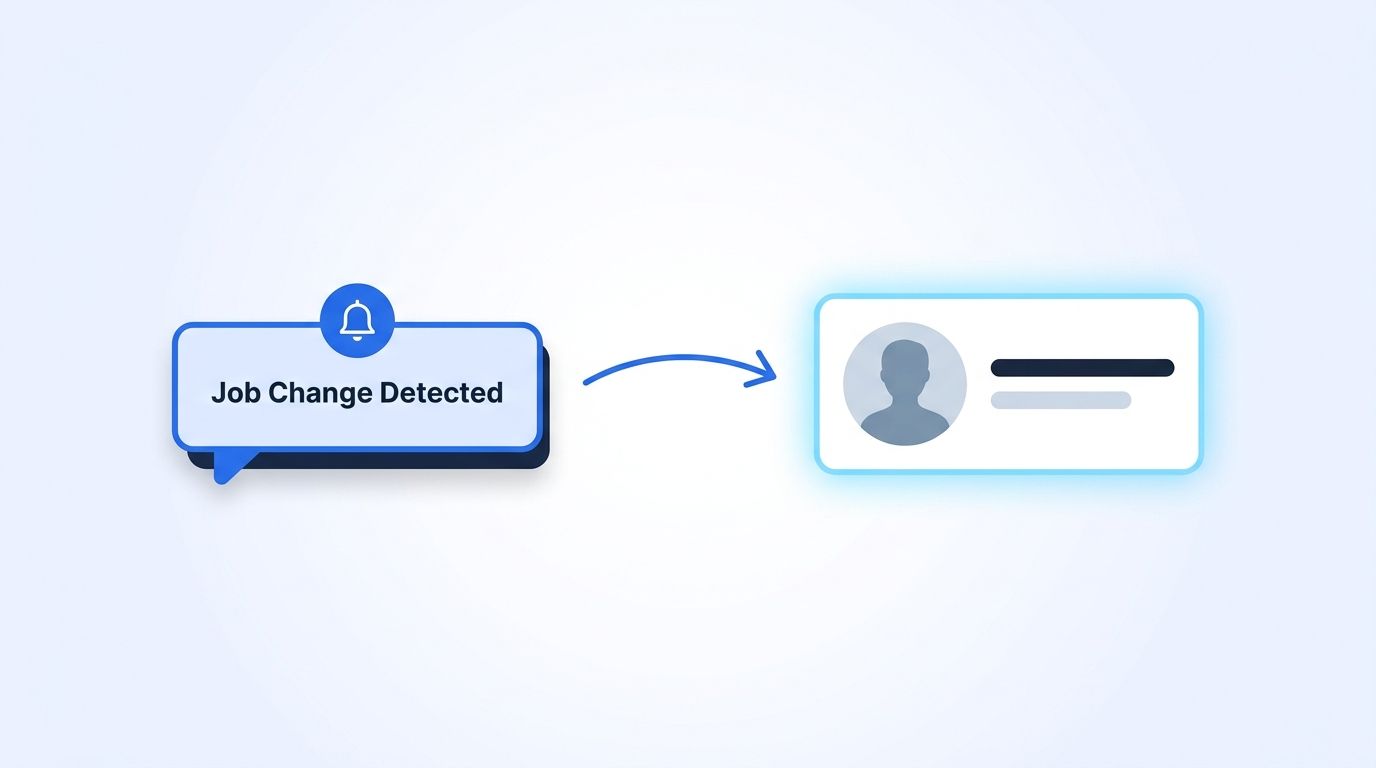
- Register a job-change signal against your existing target-candidate list, so you're alerted the moment a tracked person's employer field updates — a strong timing signal for a warm approach.
- For broader passive sourcing, set up a person or company engagement signal to surface people actively posting or commenting in your target function, which correlates with openness to a conversation even without an "open to work" flag.
- Route delivery to Slack or your ATS via webhook so signals land where your team already works.
Step 6: Automate Re-Sourcing With Webhooks So the Pipeline Stays Warm
By the end of this step, your sourcing pipeline will refresh itself in the background instead of requiring a manual re-search every time a req reopens. The final piece of a boolean-free workflow isn't a smarter query — it's removing the need to re-run the query at all. Manual sourcing dies the same way manual data validation does: someone has to remember to do it, and eventually no one does.
- List all active signal monitors for a role through List Signals to confirm coverage before assuming a pipeline is "set and forget."
- Update or pause monitors as a req closes or priorities shift using the Update Signal endpoint, rather than leaving stale monitors running indefinitely.
- Confirm your webhook endpoint verifies payload signatures, per the webhook documentation, so downstream automations only fire on legitimate events.
Teams that route re-sourcing through signals and webhooks instead of a recurring calendar reminder tend to catch a candidate's job change within days of it happening, not at the next scheduled sourcing sprint — the gap between "this person became available" and "a recruiter knows it" shrinks from weeks to days.
What Mistakes Should You Avoid?
The single most common mistake in a boolean-free transition is treating structured filters like a bigger Boolean string — stacking every possible field at once instead of starting narrow. Why does that habit die so slowly? Because Boolean's forgiving OR-matching trained recruiters to over-specify without consequence, and structured filters don't forgive the same way. Here are the five mistakes that show up most often.
1. Over-filtering on the first query. Recruiters used to Boolean's fuzzy OR-matching tend to stack every filter simultaneously and get an empty result set. Structured filters match precisely, so start with 2-3 fields and widen from there.
2. Ignoring seniority/function taxonomy mismatches. A candidate self-labeled "Head of Engineering" at a 12-person startup and a "Director" at a 5,000-person company may sit at different normalized seniority levels than your Boolean string assumed. Check the filter reference before assuming a title maps where you expect.
3. Skipping deduplication between live search and your own database. Running every req as a fresh search wastes credits and resurfaces people already in your pipeline — always check People Search DB first.
4. Letting signal monitors go stale. A job-change signal set up for a req that closed six months ago is still consuming attention and possibly credits. Audit active monitors through List Signals regularly.
5. Never testing filters against a known-good candidate. Before trusting a new filter combination, run it against a candidate you already know matches the ICP and confirm they appear in results. If they don't, the filter mapping is wrong, not the candidate pool.
88% of organizations that adopted more structured, skills-based hiring criteria saw a measurable reduction in mis-hires, and 41% cut their mis-hire rate by an average of 18% (TestGorilla, State of Skills-Based Hiring 2025, fielded April 2025 across 1,076 job seekers and 1,084 hiring decision-makers). Structured filtering isn't just faster than Boolean — it's measurably more accurate.
What Does Success Look Like?
If everything went correctly, you now have a sourcing workflow with three parts running instead of one search bar: a structured ICP query for live candidates, a database check against everyone you've already found, and signal monitors quietly re-sourcing in the background. Your longlist for a new req should take minutes to assemble instead of an afternoon of string-tweaking, and it should include candidates who never would have surfaced from keyword text alone.
The next-level move is reusing your mapped filter sets (Step 1) as templates across every future req in the same function, so each new opening starts from a validated filter combination instead of a blank Boolean string. For more on turning search into an ongoing system rather than a one-off task, see how real-time B2B people enrichment applies the same live-lookup principle to keeping candidate records current after you've found them.
Frequently Asked Questions
What is boolean-free sourcing?
Boolean-free sourcing replaces hand-built keyword strings (AND/OR/NOT operators) with structured API filters — job title, seniority, function, skills, and location — matched against normalized data fields instead of literal profile text. It surfaces candidates a Boolean string would miss because they used different words to describe the same role.
Do I need to give up Boolean search completely?
No. Boolean search still has a place for narrow, one-off lookups where you know the exact phrasing to expect. But as your primary sourcing method, it doesn't scale: only 32% of AI-adopting recruiting teams currently use it for candidate search at all (SHRM, 2025), which is exactly the gap structured filtering closes.
What's the real difference between Boolean search and ICP filtering?
Boolean search matches literal text strings against whatever a candidate typed into their profile. ICP filtering matches against normalized, structured fields — title, seniority, function — so a "backend engineer" and a "software engineer, backend" match the same query without you having to guess every synonym.
How do people data APIs help find passive candidates Boolean search misses?
Job-change and engagement signals notify you when a candidate's situation shifts — a new employer, a promotion, increased public activity — instead of requiring you to search for them proactively. Since a landmark LinkedIn study found roughly 75% of the workforce is passive at any time, signal-based sourcing reaches people a keyword search structurally can't find.
Do I need engineering resources to build this workflow?
Not necessarily. The core API calls can run through no-code HTTP tools like Postman, n8n, or Clay without custom code, following the quickstart guide. A lightweight engineering assist helps if you want to fully automate the webhook-to-ATS delivery step, but the sourcing queries themselves don't require it.
Sources
- SHRM, The Role of AI in HR Continues to Expand, 2025 Talent Trends, retrieved 2026-08-08, https://www.shrm.org/topics-tools/research/2025-talent-trends/ai-in-hr
- SHRM, Uncertain Economy Adds to Recruitment Challenges, 2025 Talent Trends, retrieved 2026-08-08, https://www.shrm.org/topics-tools/news/talent-acquisition/shrm-talent-trends-2025-recruitment-challenges
- TestGorilla, The State of Skills-Based Hiring 2025 Report, retrieved 2026-08-08, https://www.testgorilla.com/skills-based-hiring/state-of-skills-based-hiring-2025/
- LinkedIn Talent Solutions, Active vs. Passive Candidates: The Latest Global Breakdown Revealed, retrieved 2026-08-08, https://www.linkedin.com/business/talent/blog/talent-strategy/active-vs-passive-candidates-latest-global-breakdown-revealed
- Datamagnet, ICP People Search endpoint, retrieved 2026-08-08, https://docs.datamagnet.co/api-reference/endpoints/icp-people-search
- Datamagnet, Signals API, retrieved 2026-08-08, https://docs.datamagnet.co/api-reference/endpoints/signal-create
- Datamagnet, Webhooks, retrieved 2026-08-08, https://docs.datamagnet.co/api-reference/webhooks
